Marketing · 21 Oct 2026 · 40 min
Best SEO for SaaS: what to build, and in what order
Most SaaS blogs start by writing guides, because guides are easy. The searches closest to a signup are the ones where a buyer is already choosing between products. Here is the order that follows from that, what 100 leading SaaS companies' sites actually build, and the whole playbook as a file you can hand to your AI agent.
Software is bought differently from most things people search for. The buyer is usually choosing between products they've already heard of, and the searches closest to a signup say so: "zapier vs make", "hubspot alternatives", "connect slack to gmail".
That changes the order of the work. Most SaaS blogs start by writing guides, because guides are the easiest thing to write. The best SEO for SaaS starts with the pages that sell, and gets to the guides later.
This is that order, step by step, with what Google's own documentation says at each point, and with real data: I checked 100 leading SaaS companies' websites to see which of these pages they actually build, scored ten real comparison pages against one checklist, and ran the technical audit on a live SaaS site. There's a worked page plan with a spreadsheet to copy, a checklist at the end, and the whole playbook as a markdown file you can give your AI agent, free for your email address.
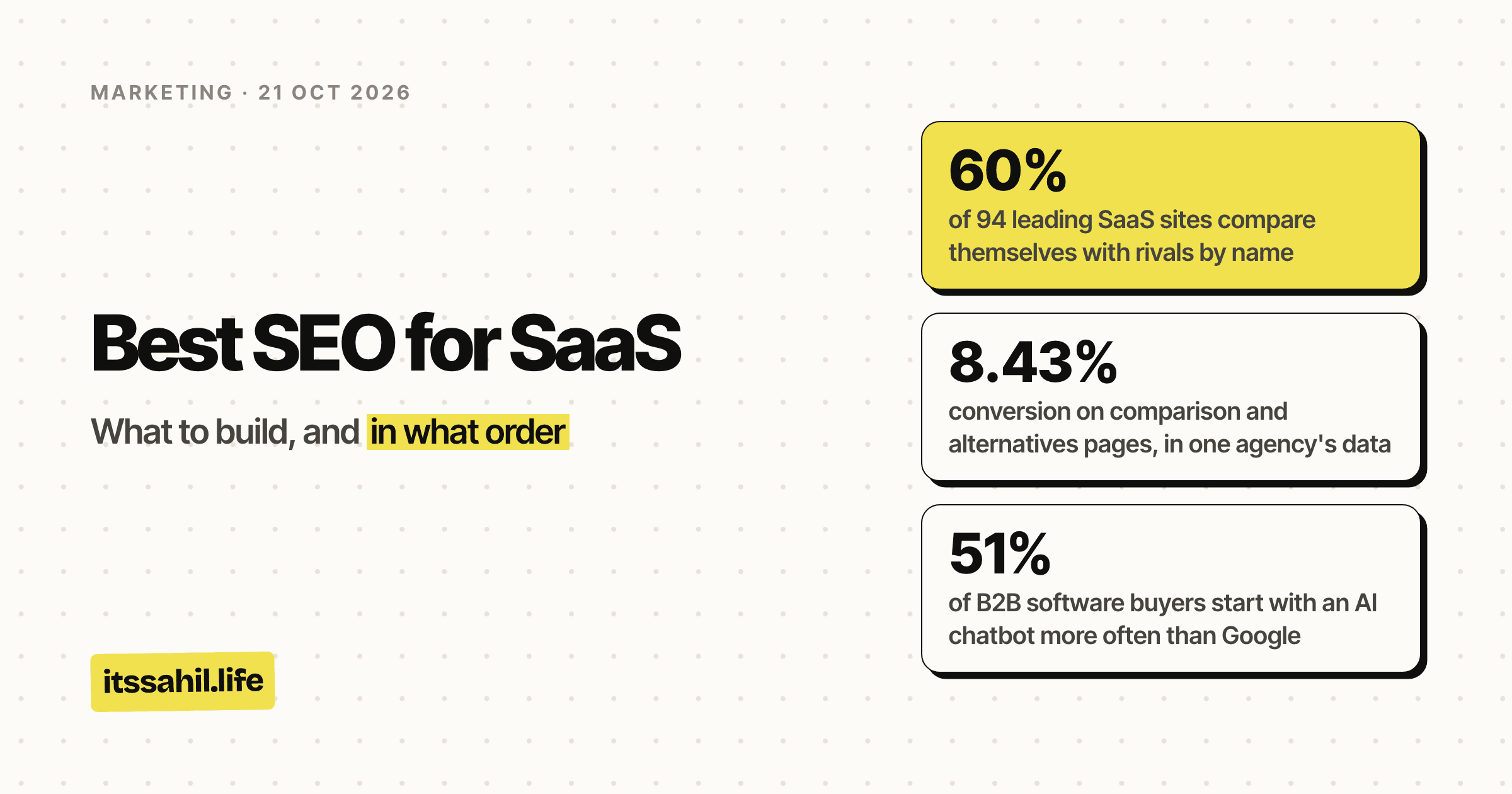
- of 94 leading SaaS sites compare themselves with rivals by name
- 60%
- conversion on comparison and alternatives pages, in one agency's data
- 8.43%
- of B2B software buyers start with an AI chatbot more often than Google
- 51%
- leading SaaS sites have a free tool, the rarest page type
- 16 of 94
The short answer
- First, make the site readable. Search and AI crawlers allowed, pages indexable, and the text in the HTML before JavaScript runs.
- Then build the pages that sell. Comparisons with the competitors you meet in deals, alternatives pages, integration pages, use cases, and an indexable pricing page.
- Then pages built from the product. Templates and free tools, which earn links and signups by being useful.
- Then the pages that teach. Guides where the product is part of the answer.
- Measure signups, not traffic, from search and from AI answers.
-
1
Make it readable
Crawlers allowed, pages indexable, the text in the HTML before JavaScript runs.
Check robots.txt, noindex, rendered text, sitemaps
-
2
Pages that sell
For people already choosing: the searches closest to a signup.
Build vs pages, alternatives, integrations, use cases, pricing
-
3
Pages from the product
Useful on their own, so they earn links and signups without a pitch.
Build templates, free tools, calculators
-
4
Pages that teach
Guides where the product is part of the answer, not an advert at the end.
Write topics scoring 2 or 3 for business potential
Under all four: count signups from search and AI answers, not visits.
SaaS SEO by the numbers
The figures from this post's own research, in one place: a check of 100 leading SaaS companies' websites on 21 October 2026, and a scorecard of ten comparison pages on 22 October, plus two outside studies. Each one is explained in the section it comes from below.
Why the pages that sell come first
Because they convert. Grow and Convert, a content agency, measured six months of its own clients' articles: 95 pages, over 123,000 organic pageviews and 4,687 product signups, trials or demo requests. Pages targeting comparison and alternatives searches converted best by a distance.
Treat that as one agency's data from its own clients, not an independent study. In an earlier case study with Geekbot, a Slack app, the same agency found its bottom-of-funnel posts converted at 4.78% and top-of-funnel posts at 0.19%. The guides got seven times the traffic, and the bottom-of-funnel posts brought more than three times the signups.
The other reason is who's searching. G2 surveyed 1,076 B2B software decision-makers in March 2026: 51% said they start their research with an AI chatbot more often than with Google, up from 29% a year before, and 80% still use Google somewhere in the process. Gartner's 2025 survey of 632 buyers found 61% would prefer to buy without talking to a salesperson at all. The research a salesperson used to do now happens on comparison pages, review sites and in AI answers, and the pages that sell are where you take part in it.
What 100 SaaS sites actually build
The pages above are what the advice says to build. To see what leading companies actually build, I took the Forbes Cloud 100, the 2025 edition, since the 2026 list isn't out, and checked all 100 companies' websites on 21 October 2026: their robots.txt and llms.txt files, their homepages, their pricing pages, and every page listed in their sitemaps, sorted by the kind of page its address suggests. The list is private cloud companies rather than pure SaaS, so it includes AI labs such as OpenAI and payments companies such as Stripe.
| Page type | Sites with any | Median pages, among those |
|---|---|---|
| Customer stories | 76 of 94 | 53 |
| Integrations | 61 of 94 | 5 |
| Comparisons naming the brand | 56 of 94 | 7 |
| Alternatives | 54 of 94 | 4 |
| Templates | 20 of 94 | 24 |
| Free tools | 16 of 94 | 3 |
Four things stand out.
Comparison pages are standard. Three in five of these companies run pages that set their own name against a rival's; ClickUp has 189, Odoo 66 and Rippling 57. Not having them means a buyer comparing you reads the comparison on your competitor's site.
The pages built from the product are rare. Only 20 of the 94 have template pages and 16 have free tools. The median among them has 24 templates or 3 tools, but the biggest have templates by the thousand: ClickUp over 7,700, Notion over 2,700 in English alone, Canva over 1,600. It's the biggest gap between what works and what most companies do.
Integration directories are where scale lives. Most sites have a handful of integration pages; a few have tens of thousands, such as Workato with over 40,000 and Zapier with over 12,500 in the small part of its sitemap I could read, and those few are the companies whose product is integrations.
The most common page type doesn't sell. 76 of the 94 have glossary or "what is" pages, with a median of 25: more than have integration pages or comparisons naming their own brand. Definitions are easy to write, and just as easy for everyone else to write, which is why they come last here, in Step 4.
How to read the counts: they come from sitemaps, so pages missing from a sitemap aren't counted, and 28 sites' sitemaps were too big to read in full. URL patterns also overcount: of 6,900 addresses containing "-vs-" or "/compare", 4,158 sat in blog or learning sections, many comparing ideas rather than products, including Grammarly's 554 "commonly confused words" pages such as "bite vs byte". That's why the comparison figure above counts only pages that name the company itself. The check ran from India, and bot protection blocked parts of it on 7 sites, which are left out rather than guessed.
Step 1: Make the site readable
None of the rest matters if crawlers can't read the pages. SaaS marketing sites break this in a few predictable ways.
Text that only appears after JavaScript. Google renders JavaScript, but it still says server-side or pre-rendering "is still a great idea because it makes your website faster for users and crawlers, and not all bots can run JavaScript". Most AI crawlers don't run it at all. Check a page's raw HTML before believing your framework.
Leading SaaS companies have mostly solved this. Of the 94 Cloud 100 homepages I could read, only one had under 100 words in its raw HTML, and the median had 1,254. That makes it more expensive for the sites that haven't. The basics are less tidy: 21 of the 94 homepage titles run past 60 characters, long enough to be cut short in results, and 19 homepages have no H1 or more than one. Miro's has 13.
A noindex you can't see. Google warns against shipping noindex in the
HTML and removing it with JavaScript: it may skip rendering, so the page
stays out. The same goes for canonical tags changed by script.
Big pages. Googlebot now fetches only the first 2MB of an HTML file, and each CSS or JavaScript file separately up to 2MB. A Next.js page with a large inline data payload can push its own content past the limit.
Links that aren't links. Google discovers links only from <a> elements
with an href. Navigation built from buttons, or routes after a #, hides
pages.
Blog and docs on a subdomain. Google's starter guide says to "do whatever makes sense for your business", and John Mueller said in 2017 that Google search is fine with either. Among the Cloud 100, 83 run docs or help on a subdomain, and 79 keep the blog in a subfolder. Don't move a working setup for SEO. One practical difference: Search Console's built-in branded query filter works only on top-level domain properties.
The audit, run on a real SaaS site
Here are the checks from the playbook, run on close.com, the sales CRM, on 21 October 2026. It's a good site, which is the point: this is what passing looks like, and the one miss is the kind most sites have.
curl -s https://close.com/robots.txt
curl -sIL https://close.com/pricing | grep -iE "^HTTP|x-robots-tag"
curl -sL https://close.com/ | wc -c
| Check | What close.com returned | Verdict |
|---|---|---|
| robots.txt | Allows every crawler, lists the sitemap, and adds a Content-Signal line saying no to AI training, yes to search | Pass. Content-Signal is Cloudflare's format, and Google's robots.txt parser doesn't support it |
| Pricing page | 200, no noindex anywhere | Pass |
| Text before JavaScript | 1,644 words in the homepage's raw HTML | Pass |
| HTML size | 265KB, about an eighth of Googlebot's 2MB limit | Pass |
| Sitemap | Listed in robots.txt, 1,894 addresses | Pass |
| Title, canonical, H1 | A 38-character title, a canonical tag, one H1 | Pass |
| Meta description | 192 characters | Too long: Google shows about 155, so the end is cut off |
The sitemap also shows the site's shape: 959 blog posts, about 147 integration pages, 12 competitor comparisons and 14 customer stories, but no template gallery and no free tools. Even a site that does Step 2 well has Step 3 left to do.
The crawlers that send customers. All 98 Cloud 100 sites whose robots.txt I could read let OAI-SearchBot, PerplexityBot, Claude-SearchBot and Googlebot in. Only one, Canva, blocked GPTBot, and 94 allowed all eight crawlers I checked. Only 22 named any of them at all; the rest let their general rules decide. Blocking a training crawler such as GPTBot doesn't remove a site from ChatGPT's search, which uses OAI-SearchBot. The free AI crawler checker shows what your robots.txt lets each one do.
Step 2: The pages that sell
Choosing which pages to build
Before writing anything, put every page you could build through four questions.
- 1
Does anyone search for it, or ask it?
No: not yet. Look in Search Console, autocomplete, sales calls and support tickets first.
- 2
Is the product a real part of the answer?
No: a business potential under 2 brings readers, not signups.
- 3
Will it have something no other page has?
No: it's a doorway page or scaled content, the thing Google's spam policies name.
- 4
Can you keep it current?
No: a comparison with last year's prices costs more trust than it earns.
Four yeses: build it, and put it in the page plan with its priority.
Here's what that looks like as a plan, for a made-up product: Ledgerly, an invoicing app for agencies, whose main rival is the equally made-up Bigbooks. Priority is demand times business potential, or zero if the page wouldn't be unique or kept current.
| Page | Evidence of demand | Demand | Business potential | Priority |
|---|---|---|---|---|
| Ledgerly vs Bigbooks | In Search Console, asked in 9 of 20 sales calls | 3 | 3 | 9 |
| Bigbooks alternatives | In autocomplete, and churned Bigbooks users signing up | 3 | 3 | 9 |
| Ledgerly and Harvest integration | Asked in support 14 times a quarter | 2 | 3 | 6 |
| Retainer invoicing for agencies | How customers describe the job in onboarding | 2 | 3 | 6 |
| Late payment interest calculator | In autocomplete | 2 | 2 | 4 |
| How to write an agency invoice | In autocomplete | 2 | 2 | 4 |
| Invoicing software for architects | A hunch, and the product isn't different for them | 1 | 2 | 0 |
| What is a pro forma invoice | In autocomplete, but anyone could write it | 2 | 1 | 0 |
The comparison and the alternatives page go first; the architects page and the glossary entry don't get built at all.
Download the page-plan spreadsheet: the same columns, with the priority worked out for you, a scoring guide, and a tracker for signups once the pages are live. No email needed.
What one page is worth. Take the comparison page, and replace every number here with your own. Say it gets 400 visits a month and converts at the 8.43% Grow and Convert measured: about 34 trials. If 15% of trials become paying customers at $49 a month, that's 5 customers and about $245 of new monthly recurring revenue, every month. After a year, around $2,900 of MRR from one page, before churn. A guide with ten times the traffic at 0.19% would bring fewer trials.
Comparison pages
A comparison page answers "Product vs Competitor" for someone close to a decision. Google's guidance on writing reviews names, as its first kind of reviewer, "an expert staff member or a merchant who guides people between competing products". So a SaaS company writing about its competitors is fine. Writing about them unfairly isn't, because the same guidance asks for benefits and drawbacks based on original research, and evidence for any "best" claim.
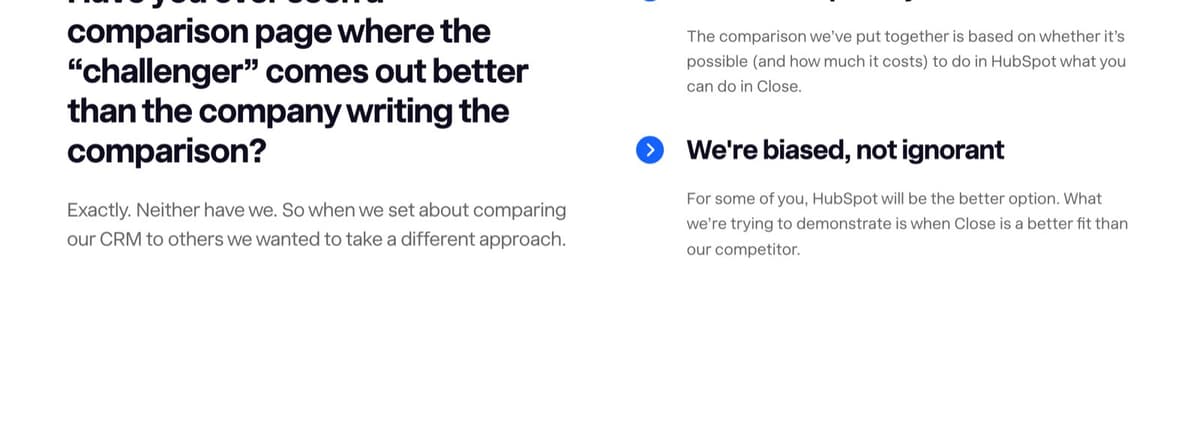
I read ten comparison pages that SaaS companies run about their competitors. The good ones share four things:
- They say when the competitor is the better choice. Close's page against HubSpot has a section on exactly that. It's what makes the rest believable.
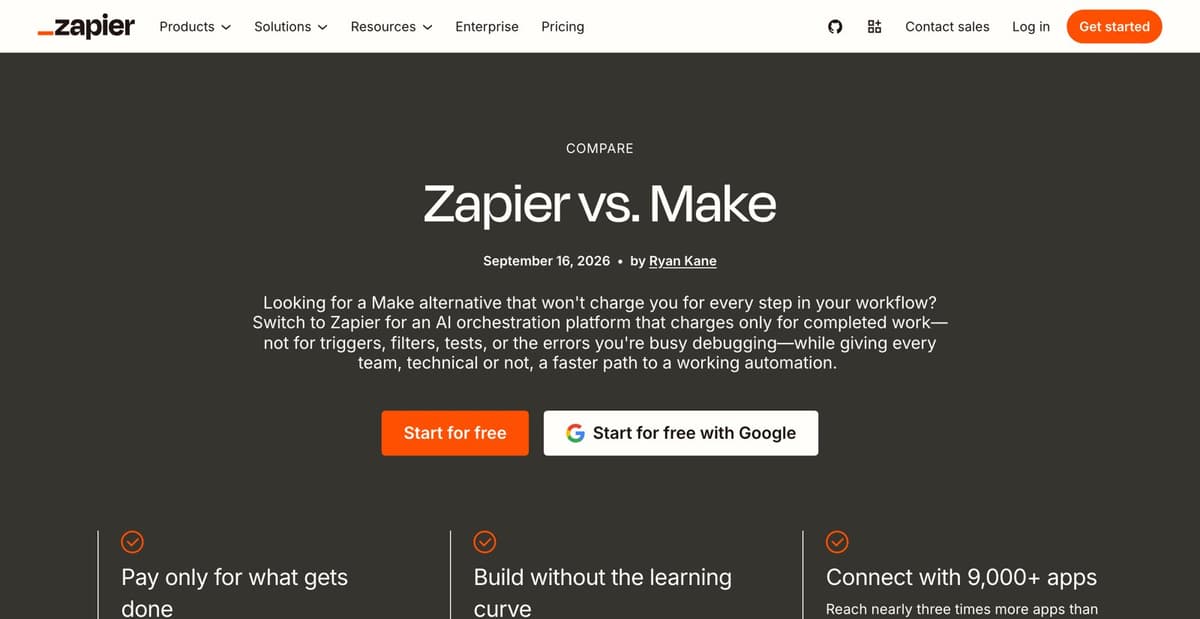
- They compare like with like. Atlassian's page against Asana prices Jira Premium against Asana Advanced, both per user per month. Zapier's page against Make puts both companies' prices side by side and admits Make's look good plan by plan, but labels Make's prices as annual and not its own: a small gap, and the kind a careful buyer notices.
- They're dated and signed. Zapier's shows a publication date and an author, the only one of the ten to name one. Atlassian's Jira and Asana page shows "Last updated January 2025" while its structured data says it was modified in September 2026.
- Their facts about the competitor are current. n8n's page against Zapier gives Zapier 8,000+ integrations; Zapier's own pages now say 9,000+. Competitor facts are the first thing on these pages to go stale.
The weak ones are one-sided: Ahrefs' page against Semrush includes a joke row about Semrush upselling Photoshop, which makes a point but not a case.
Here's a good one, laid out part by part:
YourApp vs RivalApp: which suits a 10-person agency?
Choose RivalApp if you mostly bill by the hour and need its time-tracking apps. Choose YourApp if you bill retainers and want them invoiced automatically.
When RivalApp is the better choice
Screenshot: a retainer set up in YourApp, with the invoice it sends each month.
Switching: the importer brings clients and open invoices across in about 20 minutes.
RivalApp's prices are from its own pricing page. Source: rivalapp.com/pricing, read 21 October 2026
Questions buyers ask
Can I move my time entries? Yes, as a CSV, though not their approval history.
The comparison page scorecard
To see how often those habits really show up, I scored the same ten pages on 12 checks: a point for a pass, half for a partial one. Every check is something a reader, or a crawler, can see on the page.
| Page and whose it is | Score | When the rival fits | Text table | Both prices | Prices dated | Like for like | Visible date | Named author | Sources | Switching help | Indexable | Title names both | Shows product |
|---|---|---|---|---|---|---|---|---|---|---|---|---|---|
| Zapier vs Makezapier.com | 10 | Yes | Yes | Yes | Yes | Partly | Yes | Yes | No | Partly | Yes | Yes | Yes |
| Jira vs Asanaatlassian.com | 9 | No | Yes | Yes | Yes | Yes | Yes | No | No | Yes | Yes | Yes | Yes |
| n8n vs Zapiern8n.io | 8 | Yes | Yes | Yes | No | Partly | No | No | Yes | Partly | Yes | Yes | Yes |
| Semrush vs Ahrefssemrush.com | 7 | No | Yes | Yes | Yes | Yes | Yes | No | No | No | No | Yes | Yes |
| Close vs HubSpotclose.com | 5.5 | Yes | Yes | Partly | No | No | No | No | Partly | Partly | Yes | Yes | No |
| Confluence vs Notionatlassian.com | 5.5 | Yes | No | No | No | No prices | No | No | Partly | Yes | Yes | Yes | Yes |
| HubSpot vs Salesforcehubspot.com | 5.5 | Partly | No | No | Partly | No prices | No | No | Partly | Yes | Yes | Yes | Yes |
| Ahrefs vs Semrushahrefs.com | 5 | No | Yes | No | Partly | No prices | No | No | Partly | No | Yes | Yes | Yes |
| monday.com alternativesmonday.com | 4 | Yes | Partly | No | No | No prices | No | No | Partly | No | Yes | No | Yes |
| Notion vs Confluencenotion.com | 3.5 | No | Partly | No | No | No prices | No | No | Partly | Yes | Yes | No | Partly |
| Full passes of the ten pages | 5 | 6 | 4 | 3 | 2 | 3 | 1 | 1 | 4 | 9 | 8 | 8 |
- Yes, 1 point
- Partly, half a point
- No
- No prices to compare, so 0
The 12 checks, and what counts
- Says when the competitor is the better choice. Yes: names a buyer or situation the competitor suits. Partly: the only concession is inside a customer quote.
- A side-by-side table, in text. Yes: a table or grid in the HTML with both products as columns. Partly: the side-by-side exists only as an image.
- Both products' prices. Yes: a price for each product, in the text. Partly: a price for one product only.
- Prices dated. Yes: the prices, or the page carrying them, show a date. Partly: only one table, or one cited survey, is dated.
- Like-for-like plans. Yes: comparable plans on the same terms: billing period, currency, allowance. Partly: plans paired, but on different terms.
- A date the reader can see. Yes: a published or updated date on the page, not only in structured data.
- A named author. Yes: a person's name, ideally with a bio.
- Sources for claims about the rival. Yes: links to the competitor's own docs or pricing, or an outside source. Partly: only your own sources, an unlinked review site, or one link for a minor claim.
- Help with switching. Yes: a migration section, an importer, or a link to a guide or service. Partly: a passing mention, or rebuild it by hand.
- Indexable. Yes: no noindex, and not blocked by robots.txt.
- The title names both products. Yes: both names in the title tag.
- Shows the product. Yes: a real screenshot or interface. Partly: interface-style illustrations only.
Page by page
- Zapier vs Make zapier.com, 10 of 12 Dated, signed, with a real table, both companies' plans priced, and screenshots of both editors. Its FAQ grants that Make can suit a small, technical team. It loses points for labelling Make's prices as annual but not its own, for giving Make's prices and app count with no link to check them, and for treating switching as rebuilding workflows by hand.
- Jira vs Asana atlassian.com, 9 of 12 A 27-row table, and Jira Premium priced against Asana Advanced, both per user per month. A migration section links Atlassian's own guide to importing from Asana. It never says when Asana is the better pick, names no author, and backs none of its figures for Asana. The page says it was last updated in January 2025; its structured data says September 2026.
- n8n vs Zapier n8n.io, 8 of 12 The only page of the ten that links to the competitor's own documentation, and it says Zapier suits non-technical people with simple tasks. No date and no author, and it prices n8n in euros against Zapier in dollars.
- Semrush vs Ahrefs semrush.com, 7 of 12 Dated price grids with monthly and yearly prices for both products, though the headline figure adds three Ahrefs add-ons to Ahrefs' cheapest plan. The page is marked noindex and its folder is blocked in robots.txt, so it can't appear in Google. Nothing says when Ahrefs is the better choice.
- Close vs HubSpot close.com, 5.5 of 12 The most candid page about when the rival wins, with a real table. But the text prices only HubSpot, there's no date or author, logos stand in for the product, and its FAQ structured data marks up three questions, with prices, that the page doesn't show.
- Confluence vs Notion atlassian.com, 5.5 of 12 Says plainly when Notion suits a team better, and has a section on switching. But its table lists Confluence alone, there are no prices, and its H1 names neither product. Its only date is in the structured data.
- HubSpot vs Salesforce hubspot.com, 5.5 of 12 Links HubSpot's migration services and answers seven questions on the page, but has no table and no prices for either product. Its only concession to Salesforce comes from a customer quote, and its survey of people who switched isn't linked.
- Ahrefs vs Semrush ahrefs.com, 5 of 12 A table with both products, half of its rows jokes at Semrush's expense, and an image for each of 18 features. No prices, no author, and the only date is on its crawler ranking, which links Cloudflare Radar as its source.
- monday.com alternatives monday.com, 4 of 12 Gives each of eight rivals a line on who it's best for, which is the right instinct. But its comparisons are images of review-site rating bars, it cites over 6,000 G2 reviews with no link, and it has no prices or date.
- Notion vs Confluence notion.com, 3.5 of 12 A clear way out of Confluence, with the importer linked and a migration assessment offered. But no concession to Confluence at all, a title that names only Notion, and its one side-by-side is an image.
What the top three do that the bottom three don't:
- Both prices are in the text. Zapier's, Atlassian's Jira page and n8n's each give a price for both products. None of the bottom three gives a price for either.
- The comparison is a table, in text. All three top pages have one, with both products as columns. Notion's and monday.com's put their only side-by-side in an image of review-site rating bars, so the comparison isn't in the page's text, which is what search engines and AI assistants read.
- The title names both products. All three top pages do. Notion's names only Notion. monday.com's names only itself, though as a hub for eight rivals it has a better excuse.
The cheapest points are the ones almost everybody drops. One page of ten names its author. Three show a date a reader can see: Atlassian's Confluence page has one in its structured data but not on the page. And one, n8n's, links to the competitor's own pages for what it says about them; the rest state rivals' prices and app counts with nothing to check them against. Google's guide to helpful content asks whether a page carries a byline where you'd expect one, and its guidance on reviews asks for evidence. A byline, a date and a few links are an afternoon's work.
Two pages have problems nobody would see by reading them:
- This Semrush page scores 7, but can't rank. It's marked noindex, and its folder is blocked in robots.txt. That may be deliberate for a page built for ads, but it makes the point of check 10: content Google can't index earns nothing from search, however good it is.
- Close's page marks up questions it doesn't show. Its FAQ structured data holds three questions, with prices, that appear nowhere on the page. Google's structured data guidelines say not to mark up content that isn't visible to readers.
Ten well-known pages is a small sample, picked as examples rather than at random, and a score measures what a page shows, not how it ranks or converts: Zapier's scoring highest doesn't prove it sells best. The page-plan spreadsheet has the same 12 checks as a sheet, so you can score your own pages before you publish them.
Alternatives pages
"Competitor alternatives" is searched by people unhappy with a product they already use, which makes it one of the most valuable searches a SaaS company can show up for. The page that wins is a real list, not a page about yourself with competitors' names in the title. Ahrefs, which studied 26,283 pages ChatGPT cited for "best" prompts, set itself rules for its own lists: it won't always rank itself first, and it will keep linking to other options.
In the Cloud 100 study, 54 of the 94 sites had alternatives pages, with a median of 4. monday.com's says it draws on more than 6,000 G2 reviews, but shows the ratings only as images and links to none of them: a claim like that needs evidence a reader can check.
Integration pages
Integration pages answer "connect Product to Tool". They work when each page has something no other page has.
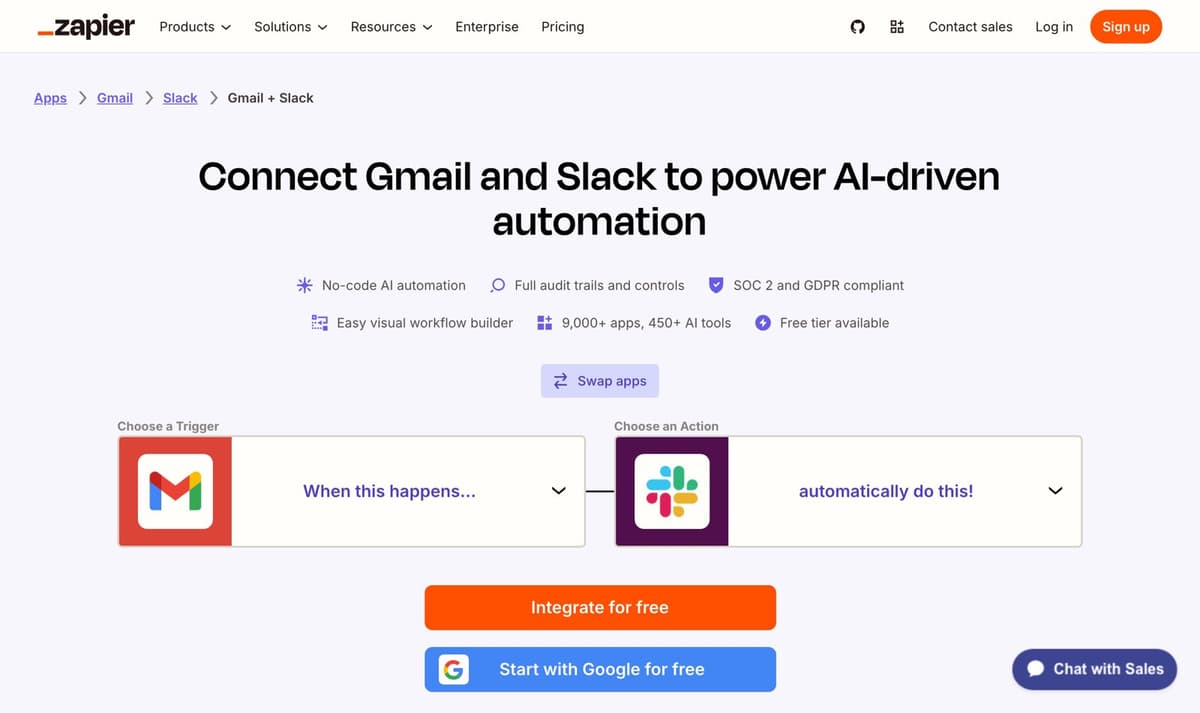
Zapier is the reference. Its directory says it connects 9,000+ apps, with a page for every app and every pair of apps, and each pair page lists real triggers, actions and working templates. One detail shows the care: the reversed address, Slack then Gmail, redirects permanently to the Gmail and Slack page, so each pair has one page rather than two competing ones.
In the study, 61 of the 94 sites had integration pages, with a median of 5. Most companies need only a page per integration they really have. The ones with tens of thousands, Workato and Zapier, are the companies whose product is integrations.
Use cases, industries and pricing
Use-case pages describe a job the product does, in the customer's words, and show it being done. Industry or role pages ("CRM for real estate agents") are only worth building where the product or its setup is genuinely different for that audience. If the only thing that changes from page to page is the industry's name, Google's doorway policy describes it: "substantially similar pages that are closer to search results than a clearly defined, browseable hierarchy".
The pricing page should be indexable, current and specific, because "Product pricing" is a search buyers make right before deciding. In the study, 70 of the 93 sites I could check had a page at /pricing, and 68 of those were indexable. Most of the 23 without one sell through a demo, and four send /pricing straight to a sales form, which leaves the search to review sites and competitors.
Step 3: Pages built from the product
Some of the best SaaS SEO isn't writing at all. It's a useful thing that happens to be indexable.
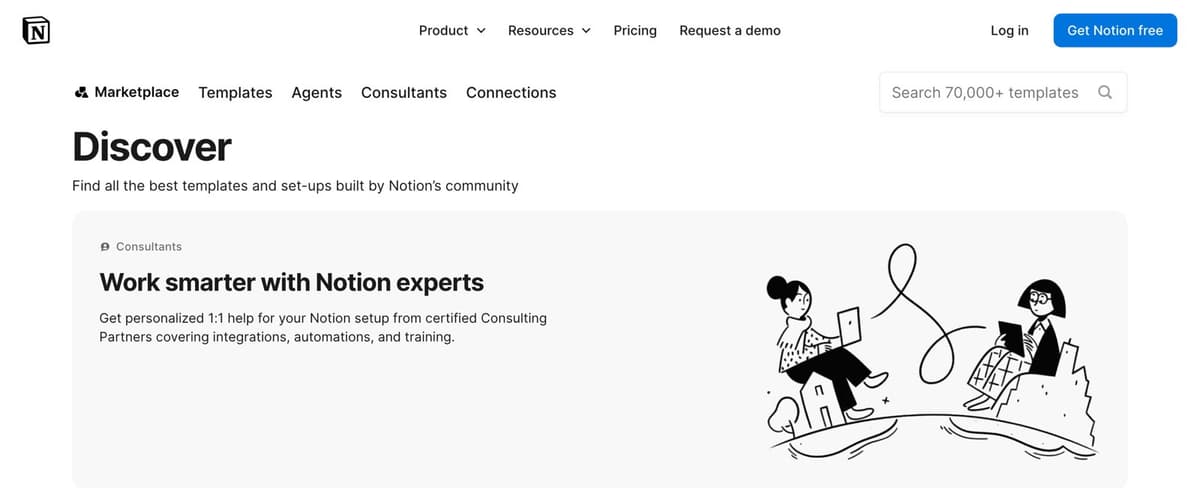
Templates. Notion's marketplace is built from templates made in Notion, mostly by its users, with a page for each template, category and creator. Even its own counts disagree: the page title says 30,000+ templates and the search box 70,000+. In the study, only 20 of the 94 sites had template pages, but the ones that did had a lot: ClickUp over 7,700, Notion over 2,700 in English alone, and Canva over 1,600.
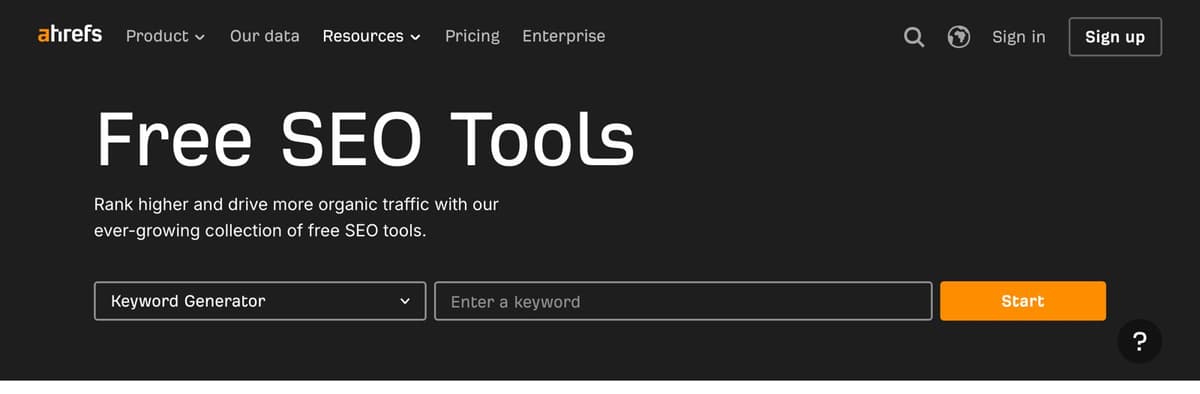
Free tools. Ahrefs' free tools page lists 18 tools in five groups, each a smaller version of something the paid product does. HubSpot's free business tools page lists eight. The pattern that works: one job, no signup to see the result, a result worth sharing, and the product as the obvious next step. Free tools were the rarest page type in the study: 16 of 94 sites, with a median of 3, which is the opening.
This site does the same at small scale: the AI crawler checker and the salary to hourly calculator each do one job for free.
Step 4: The pages that teach
Only now the guides, and only the ones where the product is part of the answer. Ahrefs' way of choosing is the clearest: a business potential score from 0 to 3. Tim Soulo first described it in 2018: 3 means the product is an irreplaceable solution to the problem, 2 that it helps quite a bit, 1 that it can be mentioned only in passing, 0 that it can't be mentioned at all. Ahrefs says to prioritise topics that score 2 or 3, and says 77% of its own blog posts do.
Eli Schwartz's book Product-Led SEO, from 2021, makes the same argument from the other side: think of SEO as a product rather than a string of one-off articles aimed at keywords.
In practice:
- Answer first, then the detail. A buyer, a crawler and an AI assistant all read the first lines.
- Show the product where it genuinely helps, with screenshots, not in a sales paragraph at the end.
- Add what only you can say: data from the product, worked examples, real screenshots. Google's helpful content guidance asks whether you're "mainly summarizing what others have to say without adding much value?"
- Be careful with glossaries. In the study, 76 of the 94 sites had pages that look like glossary or "what is" entries, a median of 25, though the pattern catches some blog posts too. A page per term is useful when each entry beats a dictionary, and scaled content when it doesn't.
Programmatic SEO, and where Google draws the line
Programmatic SEO means making many pages from a template and data: integrations, templates, locations, comparisons. It's how Zapier built its directory, and it's also exactly what Google's scaled content policy is about.
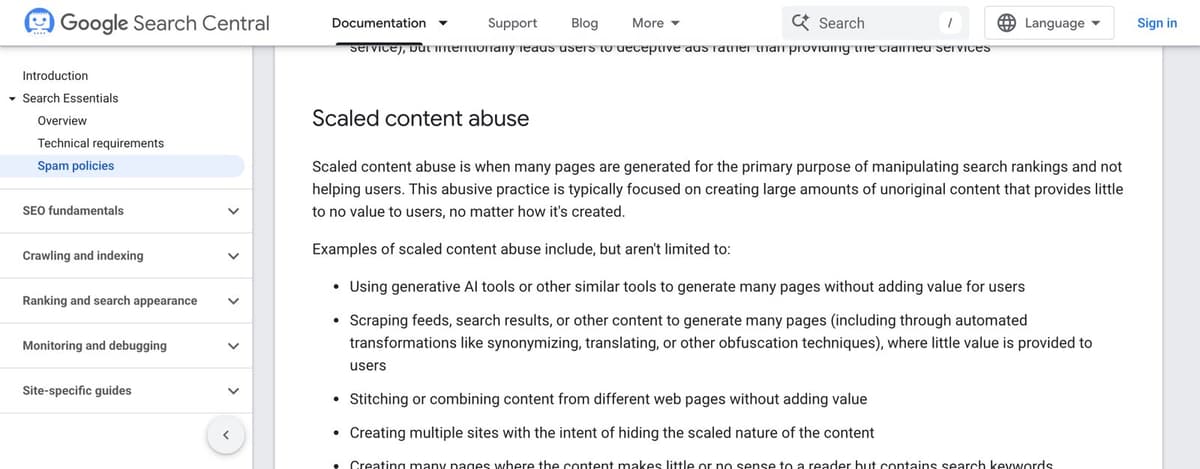
Since March 2024, Google's spam policies define scaled content abuse as "many pages are generated for the primary purpose of manipulating search rankings and not helping users", and it applies "no matter how it's created", by AI or by people. In May 2026, Google's guide to its AI features added that creating separate content for every variation of how people might search, to manipulate rankings, breaks the same policy.
The line is simple to state: each page has to have something no other page has. Zapier's pair pages have real triggers, actions and templates. A page that swaps "for dentists" for "for lawyers" and changes nothing else doesn't. Before generating pages, write down what page 200 will offer that page 199 doesn't. If you can't, don't build them.
Links for SaaS
SaaS companies have link sources most sites don't:
- Integration partners' directories. Every partner with an app marketplace is a listing, and often a link.
- Review sites. A complete, current profile on G2, Capterra and the sites your buyers use. G2's 2026 survey found review sites and AI chatbots were the two biggest influences on buyers' shortlists.
- Original data. A study from the product's data, with the method shown.
- Free tools, which people link to because they're useful.
The rest of the playbook is the same as any site's, and it's in the
guide to getting backlinks. The one thing
not to do is buy links that pass ranking credit: Google's spam policies call
it link spam, and paid links have to be marked sponsored or nofollow.
AI answers
When half of buyers start with a chatbot, being cited in AI answers is part of SaaS SEO, not a separate job. Google says there are "no additional requirements to appear in AI Overviews or AI Mode, nor other special optimizations necessary": a page needs to be indexed and eligible for a snippet. Its guide to AI features says it ignores llms.txt. Even so, 61 of the 96 Cloud 100 sites I could check publish one. It costs little and other assistants may read it, but it won't change anything in Google.
What helps:
- Let the AI search crawlers in (Step 1).
- Check Search Console's "Search generative AI" setting, rolled out to every site by August 2026, which can opt a site out of AI Overviews and AI Mode. Make sure yours is included.
- Write pages that are easy to quote: the answer first, one point per paragraph, prices and dates in text.
- Be mentioned where assistants look for opinions: review sites, comparison lists, community threads. Step 2 and the links above are AI work too.
The guide to getting cited by AI goes through each assistant in detail.
Measure signups, not traffic
- In GA4, mark the signup or trial as a key event, named
sign_uporgenerate_lead. It counts only from the day you create it, so do it first. Then read signups by landing page and by channel: Organic Search includes Google's AI features, and GA4 now has a separate AI Assistant channel for ChatGPT, Gemini, Copilot and others. - In Search Console, separate branded from non-branded searches. There's
a built-in branded filter for domain properties, or use a custom regex such
as
yourbrand|yourbrndwith "Doesn't match regex". AI Overview and AI Mode clicks are counted in the Web search type; the newer Generative AI report shows impressions only. - Export the data. Search Console keeps 16 months, and its BigQuery bulk export isn't backfilled, so start it early.
The number to report each month is signups from search and AI, by page. A comparison page with 300 visits and 25 trials is worth more than a guide with 30,000 visits and none.
Your first month, week by week
Week 1: the audit. Run Step 1's checks on the homepage, pricing and your five most important pages. Fix anything that blocks indexing. Set up the GA4 key event and the Search Console exports.
Week 2: the plan. List the three to five competitors you meet in deals, your real integrations and your main use cases. Check Search Console and autocomplete for "competitor vs" and "competitor alternatives". Score each page's business potential and pick the top five.
Weeks 3 and 4: the first pages that sell. Write two comparison pages, one alternatives page and two integration or use-case pages. Fair, dated, signed, with real screenshots.
Then, every month: read which pages get impressions and signups, improve those, add the next five, and only then start the guides.
The checklist
Print it, or tick it off in the spreadsheet.
Readable
- Search crawlers, including OAI-SearchBot, PerplexityBot and Claude-SearchBot, are allowed in robots.txt
- No noindex on pages that should rank, in the HTML or the headers
- The main text is in the raw HTML, not only after JavaScript
- HTML pages well under 2MB
- A sitemap of live, canonical pages, listed in robots.txt
- Unique titles of about 60 characters or fewer, descriptions of about 155
- Search Console's "Search generative AI" setting includes the site
Pages that sell
- A comparison page for each competitor you meet in deals, fair, dated and signed
- An alternatives page for each competitor people leave
- An integration page for each real integration, with setup steps
- Use-case pages for the jobs the product does best
- An indexable, current pricing page
Pages from the product
- One free tool or template gallery that does a job without a signup
Pages that teach
- Only topics with a business potential of 2 or 3, answer first
Measured
- A GA4 key event for signups or trials
- Branded and non-branded searches separated in Search Console
- Search Console exported monthly or to BigQuery
- A monthly report of signups by page
Get the playbook for your agent
Everything on this page is also one markdown file, written for an AI agent rather than a reader. Give it to Claude, ChatGPT or Cursor and it will ask for your product's details, audit the site with the commands above, plan the pages that sell, draft them with the templates, and report signups monthly. It has rules it won't break: no mass-produced pages, no invented numbers or reviews, and nothing goes live without your yes.
Enter your email in the box on this page and it's yours.