Marketing · 11 Oct 2026 · 13 min
HTTP vs HTTPS: what the S changes, and what it does not
The S means the connection is encrypted and the site has proved its name with a certificate. What that hides from someone on your Wi-Fi, what it costs in speed, what Chrome and Google now do about it, and the thing it has never meant.
HTTPS is HTTP with two things added. The connection is encrypted, so nobody between the browser and the server can read or change what passes through. And before anything is sent, the server proves it really is the site in the address bar, using a certificate. Everything else people say about the difference, the rankings, the padlock, the speed, follows from those two.
Here is what that looks like from the outside, to someone on the same Wi-Fi as you.
Over HTTPport 80
POST /signup HTTP/1.1the pageHost: shop.examplethe siteCookie: session=8f2c41d07ayour loginemail=priya%40example.com&what you typedphone=9876543210
All of it readable, and changeable, by anything on the path
Over HTTPSport 443
17 03 03 01 f4 9a 3c e1 7b 52 0d c8 a6 31the page17 03 03 00 9b 5e 44 0f d2 87 1b e9 70 c4the rest
Where you went, and nothing about what you did there
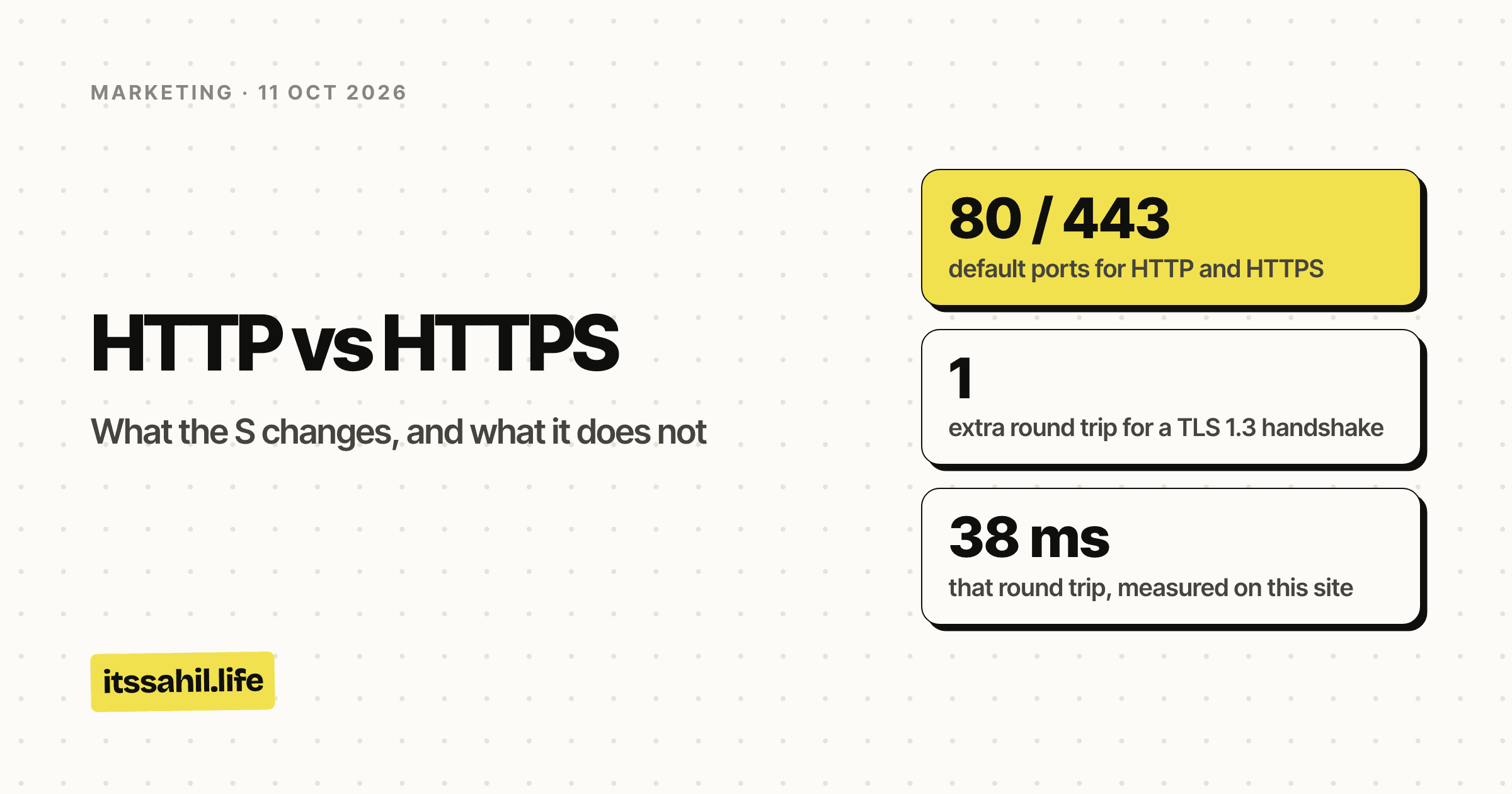
- default ports for HTTP and HTTPS
- 80 / 443
- extra round trip for a TLS 1.3 handshake
- 1
- that round trip, measured on this site
- 38 ms
- rupees for a Let's Encrypt certificate
- 0
The short version
- HTTP sends the page, the form you fill in and your cookies as plain text. Anything on the path can read them: the café Wi-Fi, the network provider, a compromised router.
- HTTPS wraps the same HTTP inside TLS. The network can still see which server you connected to, and usually the site's name. Nothing about the page.
- The certificate proves the server controls the domain. It does not prove the business behind it is honest.
- Speed: one extra round trip when a connection opens, 38 ms on this site. In return you get HTTP/2 and HTTP/3, which browsers only use over HTTPS.
- Chrome now asks before it opens a site over plain HTTP, by default, since version 154 in September 2026.
- Google Search treats HTTPS as a lightweight ranking signal and indexes the HTTPS version of a page when both exist.
HTTP vs HTTPS at a glance
| HTTP | HTTPS | |
|---|---|---|
| Stands for | Hypertext Transfer Protocol | HTTP Secure: HTTP sent over TLS |
| Default port | 80 | 443 |
| What the network can read | Everything: pages, forms, cookies | The server's address and usually the site's name |
| Can the page be changed on the way | Yes, and the browser cannot tell | Not without the browser noticing |
| Proves who the server is | No | Yes, with a certificate |
| Chrome's address bar | "Not secure" | A neutral settings icon |
| Chrome 154 and later | Asks before opening the site | Opens normally |
| HTTP/2 and HTTP/3 in a browser | Not available | Available |
| When an HTTPS page links to you | No referrer, so the visit looks direct | The linking site's address is passed on |
| Google Search | The HTTPS twin is indexed instead, if there is one | A lightweight ranking signal |
| Cost | Nothing | Nothing, with a free certificate |
What the S actually adds
Encryption. On plain HTTP, every byte between the browser and the server travels as readable text: the address of the page, the cookie that keeps you logged in, every field of every form. With HTTPS, the browser and the server agree on keys during the handshake and everything after that is encrypted, including the path and query string of the page, the cookies, the form and the response.
What stays visible is the IP address the browser connected to, the size and timing of the traffic, and usually the name of the site. The browser sends that name at the very start of the handshake, before there is a key, so the server knows which certificate to present.
Integrity. Encryption also means the page cannot be quietly edited on the way. On HTTP, anything on the path can rewrite the page it is carrying: insert an ad, swap a download link, add a script. Over HTTPS, a record that has been tampered with fails its check, and the browser ends the connection instead of showing it.
Identity. Encrypting a conversation with the wrong server would be worthless, so the server also presents a certificate: a file signed by a certificate authority the browser already trusts, saying that this key belongs to this domain. The browser checks the signature, the dates and the name. If any of them is wrong, you get a full-page warning instead of the site.
How the connection is made
HTTPone round trip, then the request
HTTPS, TLS 1.3two round trips, then the request
- Hello. The browser says which site it wants and sends its half of a new key.
- Certificate. The server sends its half of the key, then its certificate, already encrypted.
- Check. The browser checks the certificate is valid for that name and signed by an authority it trusts, then sends the request.
Plain HTTP needs one round trip to open the connection, and then it can send the request. HTTPS adds the TLS handshake in between. In TLS 1.3, the version this site uses, the handshake takes a single round trip; the specification calls it the 1-RTT handshake. TLS 1.2 needed two.
I measured it on this site. Across 21 fresh connections on 11 October 2026, opening the TCP connection took a median of 34 ms, and the TLS handshake added a median of 38 ms. One more round trip, as the specification says, and about the same length as the first.
The last bar is the interesting one. HTTP/3 runs on QUIC, which builds TLS 1.3 into the connection itself, so it gets encryption in the same single round trip that plain HTTP needs for none. A first visit often still goes over TCP, because the browser tends to learn that a server offers HTTP/3 from its first response.
Is HTTPS slower, then?
On a brand new connection, by one round trip. After that, no. The connection stays open and is reused for every file on the page, and a later visit can resume the earlier session instead of starting over.
The faster versions of HTTP also only come with the S. HTTP/2, which sends many files over one connection at the same time, runs over HTTPS in every browser; the HTTP/2 working group's own FAQ notes that no browser supports it unencrypted. HTTP/3 has encryption built in. So the honest answer is that HTTPS costs a few tens of milliseconds once per connection, and in exchange you get the two protocols browsers will not use without it.
What changed in Chrome
Chrome has moved the default one step at a time, and the last step landed a few weeks ago.
- July 2018, Chrome 68. Every HTTP page gets "Not secure" in the address bar. When Google announced it that February, over two-thirds of Chrome traffic on Android and Windows was already over HTTPS, and 81 of the top 100 sites used it by default.
- September 2023, Chrome 117. The padlock goes, replaced by a neutral icon that opens the site's settings. Google's reason was that people read the lock as a sign the site could be trusted, when all it ever meant was that the connection was encrypted.
- October 2025. Google announces HTTPS by default. Its figures put HTTPS at 95 to 99 percent of Chrome page loads since around 2020, with progress largely stalled after that. The plan: turn on the setting that tries every site over HTTPS first and asks before opening one that only has HTTP.
- April 2026, Chrome 147. The plan was to switch it on here first, for the more than one billion people who have opted in to Enhanced Safe Browsing.
- September 2026, Chrome 154. The release notes for 154, which reached stable on 22 September, say Chrome now prompts users by default before connecting to a site over plain HTTP. Google's announcement leaves private addresses, such as a router at 192.168.0.1 or a one-word intranet name, out of the default.
For most sites this changes nothing. The site already redirects to HTTPS, and Chrome now simply goes there first. It matters if any page you send people to only works over HTTP: an old campaign microsite, a landing page on a subdomain nobody put a certificate on, a printed QR code pointing at a host without one. Those now open behind a warning the visitor has to click through.
In Google's experiment, that warning appeared on well under 3 percent of navigations, and the median person saw fewer than one a week. Which is the point: a visitor who sees it is seeing something unusual, and they are seeing it on your page.
What HTTPS means for SEO
It is a ranking signal, and a small one. Google announced HTTPS as a ranking signal in August 2014, called it "a very lightweight signal", and said it affected fewer than 1% of global queries. Its page experience documentation, last updated on 22 September 2026, still asks whether your pages are served securely, and also says there is no single page experience signal. Read together, HTTPS will not lift a weak page above a better one. Not having it is what costs you, and mostly through the browser rather than the ranking.
Google indexes the HTTPS version when it can. Since December 2015, when a page exists at both an HTTP and an HTTPS address, Google has indexed the HTTPS one, as long as nothing on the page argues against it. The conditions it gave read like a migration checklist. The HTTPS page should:
- load nothing over HTTP
- not be blocked by robots.txt
- not redirect to or through an HTTP page
- not have a canonical tag pointing at the HTTP page
- not carry a noindex tag
- not link to HTTP addresses on the same site
- be the version the sitemap lists, or at least the HTTP one should not be
- have a valid certificate
Search Console reports on it. The HTTPS report, added in September 2022, lists the issues stopping pages from being served as HTTPS, with sample URLs.
The cost nobody reports: your referral traffic. Browsers default to a referrer policy, strict-origin-when-cross-origin, that sends no referrer at all when a visitor goes from an HTTPS page to an HTTP one. Nearly every site that could link to you is on HTTPS. So on an HTTP site, the visits those links send arrive with no referrer, and most analytics tools file them under direct. The links still work and still count for search. You just cannot see where the visitors came from. UTM tags survive, because they are part of the address rather than the referrer.
Features that need HTTPS. Browsers keep a list of features they only allow on secure pages, and the ones a marketer is most likely to want are on it:
- push notifications
- service workers, which offline pages and installable web apps depend on
- geolocation, for anything built on "near me"
- the Payment Request API, for one-tap checkout
- the Web Share API and clipboard access
On an HTTP page, they are simply not there.
What HTTPS does not tell you
- That the site is honest. A certificate proves control of a domain name. Phishing sites have them too, which is exactly why Chrome took the padlock away.
- Who runs the site. A domain-validated certificate, the kind Let's Encrypt issues, checks only that the applicant controls the domain. It says nothing about the business behind it.
- That your data is safe once it arrives. HTTPS protects the journey. What the site does with your details afterwards, and how well it guards them, is a separate question.
- That the visit is private. The network still sees the server's address and usually the site's name. It cannot see which page you read or what you typed.
Moving a site from HTTP to HTTPS
In this order, because each step depends on the one before.
Get a certificate, and let something renew it. Let's Encrypt issues them free, and many hosts set one up on their own. This one did: the certificate on itssahil.life right now is from Let's Encrypt, issued on 10 September 2026, valid for 90 days, and it renews without anyone touching it.
Automatic renewal is about to stop being optional. Under a CA/Browser Forum ballot passed in April 2025, with Apple, Google, Microsoft and Mozilla all voting for it, the longest a certificate can last fell to 200 days on 15 March
- It falls to 100 days in March 2027 and to 47 days in March 2029. Let's Encrypt is going further, with 64-day certificates by default from February 2027 and 45 days from February 2028. A calendar reminder will not keep up.
Fix mixed content. An HTTPS page that loads anything over HTTP has mixed content. Browsers now upgrade plain images, audio and video to HTTPS on their own, and block scripts, stylesheets, iframes and fonts outright, which is how a migration ends up with a page that loads but looks broken. Images set through srcset or a picture element are not upgraded, a detail that catches responsive images. Search your templates and your database for
http://before you switch.Redirect every HTTP address to its HTTPS twin. Page to page, with a permanent server-side redirect, a 301 or a 308, never everything to the home page. Google's site move guide says to keep them for as long as possible, and generally for at least a year. This site answers
http://itssahil.lifewith a 308 tohttps://itssahil.life/.Update everything that points at the old addresses. Canonical tags, internal links and the sitemap, all three of which are on Google's list above.
Tell Search Console, the right way. Add the HTTPS version as a property, or use a Domain property, which covers both. Do not use the Change of Address tool: Google says you do not need it for a move from HTTP to HTTPS. And expect rankings to wobble for a while. Google's guide says so plainly, and a medium-sized site can take a few weeks or more before the new addresses show everywhere.
Turn on HSTS last. Strict-Transport-Security is a response header that tells the browser to use HTTPS for your domain for a set time, so later visits skip the HTTP hop entirely. Turn it on once everything works, because a browser that has seen it will refuse plain HTTP for that domain until it expires. This site sends it with a two-year lifetime.
The stricter version is the preload list, built into browsers, so that even a first visit never touches HTTP. It needs a lifetime of at least a year, the includeSubDomains and preload directives, and every subdomain on HTTPS, and the list itself warns that removal takes months to reach users. This site is not on it, because its header carries neither directive.
Update the links you control. Ad destination URLs, email templates, social bios, QR codes still being printed. Old links keep working through the redirect, and Chrome now tries HTTPS first anyway. But every one that still says
http://sends visitors on other browsers through a redirect they did not need.
The short answer for a site owner
If your site is already on HTTPS, three checks are worth five minutes: that no
page you link to is HTTP only, subdomains and old microsites included; that
http:// addresses redirect page to page with a 301 or 308; and that
certificate renewal is automatic, because by 2029 it will have to be.
If it is not on HTTPS yet, the certificate is free, the redirect is a setting on most hosts, and as of Chrome 154, the cost of waiting is a warning screen in front of every new visitor.