Marketing · 16 Oct 2026 · 15 min
Domain Authority vs Domain Reputation: what each one is, who keeps it, and which one can hurt you
Domain Authority is Moz's estimate of a site's links, and nothing happens when it's low. Domain reputation is what mailbox providers, blocklists and Google have concluded from how a domain behaves, and it decides where your email lands and whether your site carries a warning. What each one is, how to check it, and what the email records of 245 sites show.
The two phrases sound like they mean the same thing. They don't, and mixing them up leads people to worry about the wrong one.
Domain Authority is a score Moz invented: a number from 1 to 100, estimated from the links pointing at a site, meant to suggest how well it might rank. Ahrefs' Domain Rating and Semrush's Authority Score are the same idea. None of them comes from Google, and when yours is low, nothing happens.
Domain Reputation isn't one score. It's what several different groups have concluded from how a domain behaves: whether its email gets reported as spam, whether it hosts malware, what independent sources say about it. Each keeps its own record, mostly in private. And when yours is bad, things happen: email goes to spam or bounces, browsers show a red warning, rankings drop.
For the full story on Domain Authority and why Google uses none of these scores, there's a separate guide: Domain Authority vs Domain Rating. This one is mostly about reputation, because that's the one that can hurt you.
A score
Domain Authority- Kept by
- Moz. Ahrefs' DR and Semrush's Authority Score are the same idea
- Reads
- Links pointing at the domain, through Moz's model
- If it's low
- Nothing happens. No system acts on it
- Check it
- Moz's Link Explorer, with a free account
A judgement
Email reputation- Kept by
- Gmail, Outlook and Yahoo, each privately
- Reads
- Spam reports, authentication, how steadily you send
- If it's bad
- Mail goes to spam, or is rejected
- Check it
- Google Postmaster Tools, and your own complaint figures
A judgement
Security reputation- Kept by
- Google Safe Browsing, Spamhaus, Cisco Talos and others
- Reads
- Malware, phishing and spam sent from or pointing at the domain
- If it's bad
- Browser warnings, a label in search results, mail blocked
- Check it
- Google's Safe Browsing site status, Spamhaus's checker
A judgement
Reputation in Google Search- Kept by
- Google's ranking systems, with raters checking what others say
- Reads
- What independent sources say about the site, and what it hosts
- If it's bad
- Lower rankings, or a manual action under the site reputation policy
- Check it
- There's no score. Search Console shows manual actions
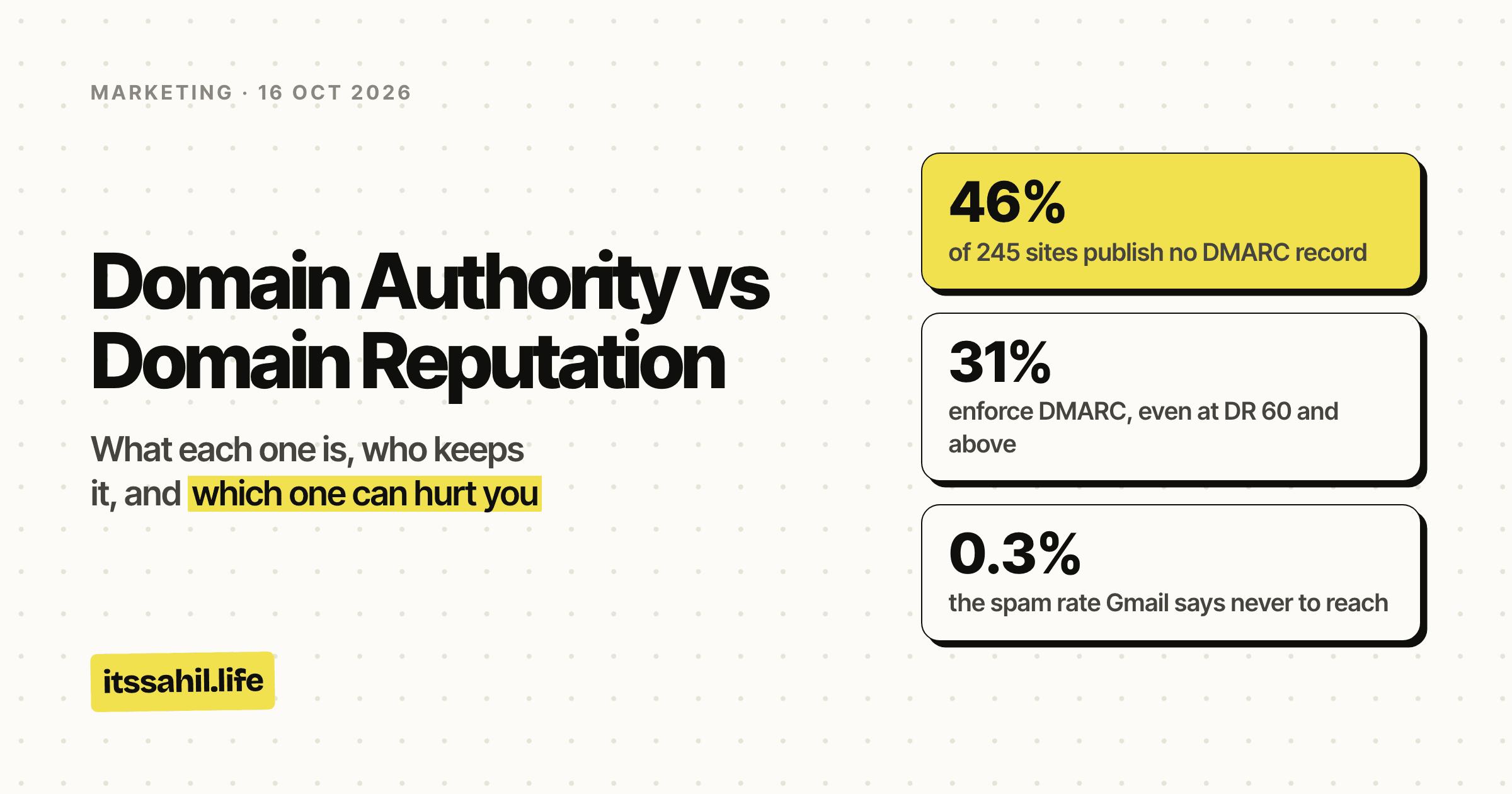
- of 245 sites publish no DMARC record
- 46%
- enforce DMARC, even at DR 60 and above
- 31%
- the spam rate Gmail says never to reach
- 0.3%
- of the 245 on Spamhaus's domain blocklist
- 1
The short version
- Domain Authority is an estimate of links. Made by Moz, read by SEOs, used by no search engine or mailbox provider.
- Email reputation is what Gmail, Outlook and Yahoo think of mail from your domain. It decides whether your email reaches the inbox.
- Security reputation is what blocklists and Google's Safe Browsing think of your domain. It decides whether people see a warning before they reach you.
- Reputation in Google Search is what Google's systems make of what others say about your site. It affects rankings, and there's no score to look up.
- The two don't track each other. In the 245 sites checked for this post, even among the strongest by Domain Rating, fewer than a third had their email protected properly.
Domain Authority, briefly
Moz's Domain Authority comes from a machine learning model built mostly on links. It's relative: your score can fall because other sites gained links. And it's not linear, so moving from 70 to 80 is far harder than from 20 to 30.
The lookalikes work the same way:
- Ahrefs' Domain Rating counts followed links from unique domains.
- Semrush's Authority Score mixes links with traffic and spam signals.
- Majestic's Trust Flow sounds closest to reputation by name, but it's still a link score: 0 to 100, based on how close a site sits, by links, to a set of seed sites Majestic reviewed by hand.
All of them answer one question: how strong are the links pointing at this domain, compared with other domains? None of them reads anything about how the domain behaves, and none of them is used by Google. John Mueller said in February 2020 that Google does not use domain authority at all.
That's the whole of it. A useful number for comparing sites, and nothing more. The rest of this post is about the records that do have consequences.
Email reputation: what Gmail thinks of your mail
Every mailbox provider keeps a private view of every domain that sends to its users. It's built largely from how those users treat the mail, above all whether they report it as spam.
Gmail's sender guidelines spell out what goes into it:
- Spam reports lower your domain's reputation over time. A sustained high spam rate means more of your mail is filtered as spam.
- Sudden jumps in volume hurt. Doubling what you send overnight can bring rate limiting or a drop in reputation. Send at a steady rate, not in bursts.
- Shared sending addresses are shared reputations. Everyone on a shared IP address affects its reputation for everyone else.
- Blocklisted addresses are more likely to be marked as spam.
- Bought lists are out. Google says not to purchase email addresses from other companies.
The dashboard that's being retired
For years, Google showed senders their domain reputation in Postmaster Tools, on four levels:
- High: a history of very low spam rates, following Gmail's guidelines.
- Medium: mostly legitimate mail, with occasional spam.
- Low: regularly sends a significant amount of spam.
- Bad: regularly sends a high volume of spam, and its mail is almost always marked as spam or rejected.
That dashboard is on its way out. Postmaster Tools v2, launched in 2024, keeps every old dashboard except the domain and IP reputation ones, which Google says will be retired and replaced. It has postponed switching off the old interface and hasn't given a date.
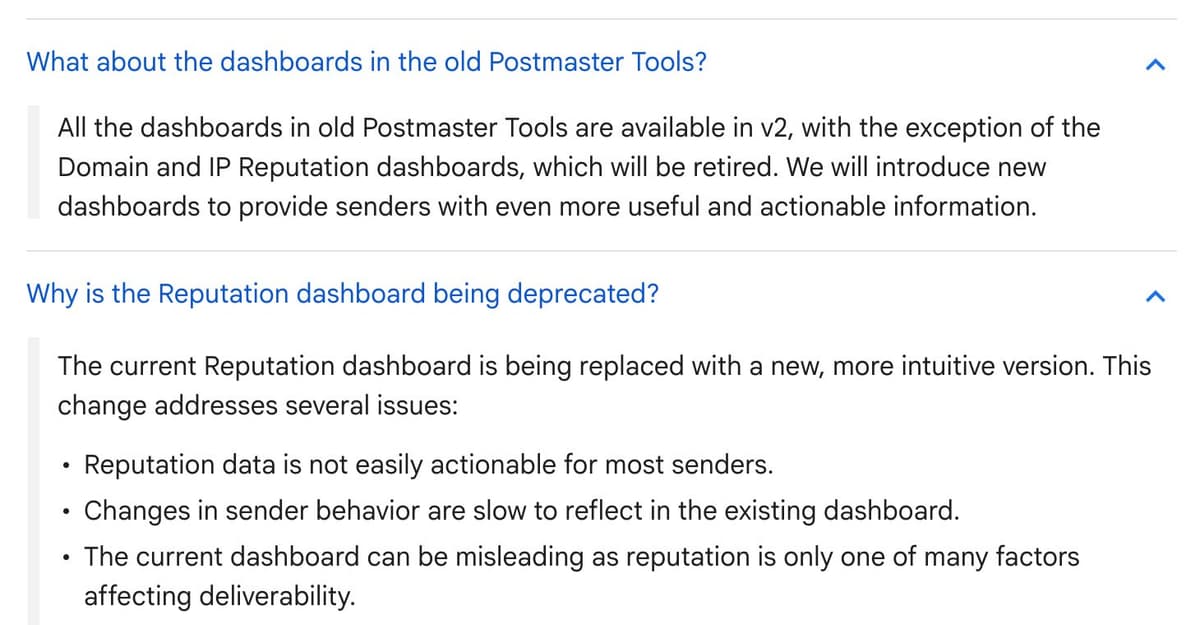
The reason Google gives is worth taking seriously: the old dashboard could mislead, because reputation is only one of many things that decide whether mail is delivered. Which is the theme of this whole post. A single label is easier to read than the behaviour behind it, and less true.
What the big three now require
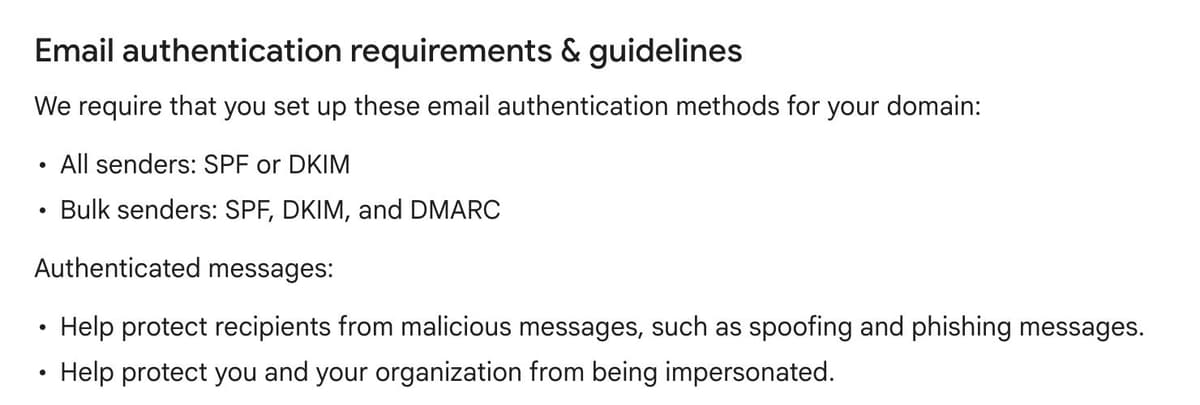
Since February 2024, Gmail and Yahoo have required every sender to authenticate their mail, and set stricter rules for anyone sending in volume. Microsoft followed for Outlook in 2025.
Gmail
- Every sender needs SPF or DKIM.
- Bulk senders, more than 5,000 messages a day to Gmail addresses, need SPF,
DKIM and DMARC. The DMARC policy can be
p=none, and the From address has to align with the SPF or DKIM domain. - Keep the spam rate reported in Postmaster Tools below 0.3%. Google's own guideline is to stay below 0.1% and never reach 0.3%.
- Marketing messages need one-click unsubscribe.
- Since June 2024, bulk senders above 0.3% aren't eligible for Gmail's help with delivery problems, and since November 2025 Gmail has been rejecting more mail that doesn't comply, some of it temporarily and some permanently.
Yahoo
- Every sender needs SPF or DKIM, and a spam rate below 0.3%.
- Bulk senders need a valid DMARC policy, at least
p=none, that passes. - One-click unsubscribe, honoured within two days.
Outlook
- Applies to domains sending more than 5,000 emails a day to Outlook.com, Hotmail and Live addresses.
- SPF and DKIM must pass, and DMARC must be at least
p=none, aligned with one of them. - Since 5 May 2025, mail that fails is rejected outright, with error
550 5.7.515, rather than sent to junk.
None of these rules mentions Domain Authority, or any link metric. A domain with a DR of 90 and no DMARC record is, as far as a bulk sender rule is concerned, a domain with no DMARC record.
What the records of 245 sites show
To see whether authority and email reputation go together, I checked the DNS records of the sites in the catalogue behind the backlinks guide: 249 places that give out free links, each with a recorded Domain Rating.
Method, briefly. On 16 October 2026 I looked up each domain's mail servers, SPF record and DMARC record, and checked each one against Spamhaus's Domain Block List. Four sources take submissions through a form on another platform (three on Tally, one on GitHub), so their address isn't their own domain. They are left out, which leaves 245.
What they publish:
- 46% (112) have no DMARC record at all. Anyone can send mail that claims to be from them, and no mailbox provider is told what to do about it.
- 35% (85) have a DMARC record set to
p=none. That's monitoring: it asks for reports, but tells receivers to deliver failing mail anyway. - 19% (46) enforce it, with
p=quarantine(21) orp=reject(25). - 2 publish two DMARC records, which makes the policy invalid.
- 28% (68) have no SPF record, and 8 have two or more, which breaks SPF, because a domain is only allowed one.
- One SPF record ends in
+all, which authorises every server on the internet to send as that domain. - 20% (49) have neither SPF nor DMARC.
That's close to the web at large. EasyDMARC's 2026 report, covering the top 1.8 million domains, found 52.1% with a valid DMARC record and 22.9% enforcing it. In the catalogue, 53% have a valid record and 19% enforce.
And Domain Rating barely moves it:
The strongest sites are a little more careful: 78% of those at DR 60 and above publish a DMARC record, against about half below DR 40. But even at the top, only 10 of 32 enforce it. A high authority score tells you the site has links. It doesn't tell you anyone has looked after its email.
One is on a blocklist. Of the 245, exactly one domain was listed on Spamhaus's Domain Block List, as a spam domain. Its Domain Rating was 3. One isn't a pattern, but it's a reminder of what the free end of a backlink list can contain, and a reason to check a site's reputation before you link to it or ask it for a link.
A note on what this measures. SPF, DKIM and DMARC are authentication, not reputation. But they're what reputation attaches to: without them, a mailbox provider can't reliably tell your mail from someone pretending to be you, and since 2024 a bulk sender without DMARC fails Gmail's rules before reputation comes into it.
Security reputation: blocklists and warnings
The second kind of reputation is kept by security services, and it's about danger rather than annoyance: spam, phishing, malware.
Spamhaus
Spamhaus's Domain Block List is a list of domains with a poor reputation: domains used in unsolicited mail, phishing, fraud and malware. Mail servers and security products all over the internet check it, so a listing means your mail, or mail that merely links to you, may be blocked.
- It's free for non-commercial use by small and medium organisations.
- Queries have to come from your own DNS resolver. Spamhaus refuses lookups through public resolvers like Google's or Cloudflare's, and answers them with an error code rather than a result.
- Spamhaus also has a public reputation checker on its website, which looks up a domain, an IP address or an email address against all its lists.
Cisco Talos
Talos scores the email reputation of domains and IP addresses from −10, the worst, to +10, the best, and groups them as Good, Neutral or Poor. It grades websites separately, from Trusted through Neutral to Untrusted, and notes that most websites sit at Neutral. Talos doesn't block anything itself. The products that use its data can.
Google Safe Browsing
This is the one most people meet without knowing its name. Safe Browsing flags sites for malware, unwanted software and social engineering such as phishing. When it does:
- Chrome shows a full-page red warning before anyone reaches the site.
- Google Search can show a label in the results, such as "This site may harm your computer", or a separate one that says the site may be hacked.
- Search Console's Security issues report tells the owner what was found and on which pages.
You can look up any site on Google's Safe Browsing site status page, which says whether it currently finds anything unsafe.
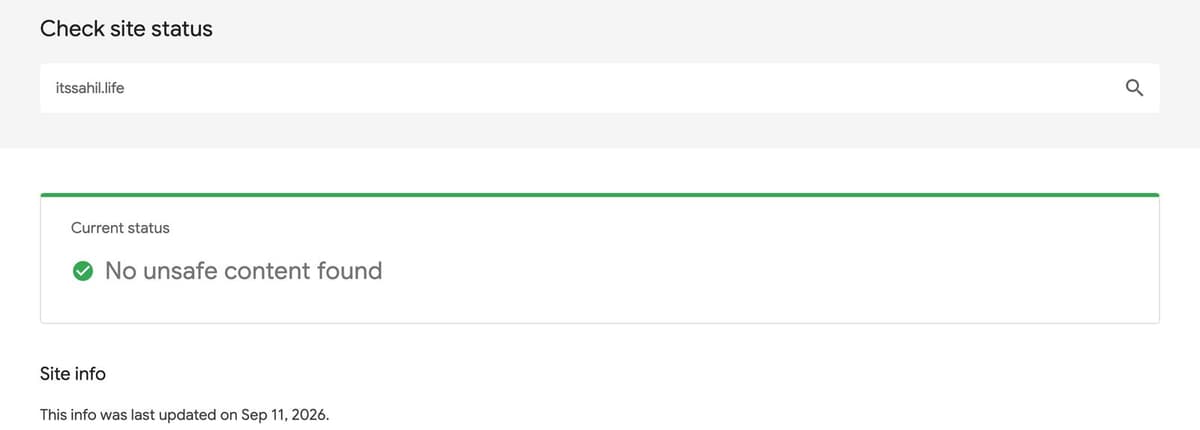
Unlike the email side, this one does reach search. A flagged site doesn't need to lose a single ranking position to lose its visitors: the warning does it. And it's not only bad actors who get flagged. Google says many of the unsafe sites it finds are legitimate sites that were hacked, which is why keeping a site's software up to date is part of its reputation.
Reputation in Google Search
The third kind is the closest to what people mean when they mix the two phrases up, and the hardest to see.
What Google tells its raters
Google's Search Quality Rater Guidelines, last revised on 11 September 2025,
give reputation a section of its own. Raters are told to research the
reputation of a website and the people behind its content for every page
quality task, by looking for what independent sources say: reviews,
references, recommendations from experts, news articles. They're even given the
search to use, a company name with its own site taken out, the same
-site: search the guide to
getting backlinks uses to find mentions.
Raters don't decide rankings. Google is direct about it:
Search raters have no control over how pages rank. Rater data is not used directly in our ranking algorithms.
What the guidelines show is what Google is trying to measure: whether other people, independently, think well of a site. That's a reputation. It isn't a score, and no tool outside Google can see it.
The site reputation policy
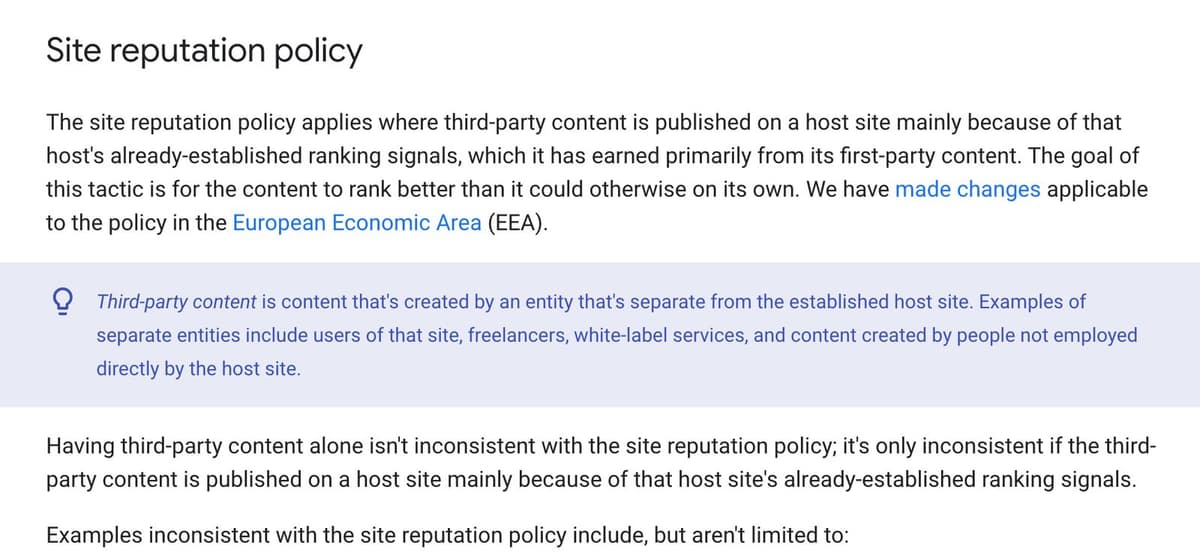
There's also a spam policy built on the idea. Google announced it in March 2024, as site reputation abuse, and enforced it from 5 May 2024. On 28 August 2026 it was renamed the site reputation policy and reworded:
The site reputation policy applies where third-party content is published on a host site mainly because of that host's already-established ranking signals
In plain terms: renting out a section of a respected site to someone who wants to borrow its standing in search. Google's own examples include sponsored payday loan reviews on an educational site, and a "best casinos" page on a medical site. Google's November 2024 update made clear that a host's involvement doesn't change this, and its August 2026 change means the manual action no longer applies to users inside the European Economic Area.
What Google hasn't said
Google has never said that email reputation, Postmaster Tools data or email blocklists affect search rankings, and nothing in its ranking or spam documentation connects them. They're separate systems run for separate purposes. Safe Browsing is the one bridge between them, and it works through warnings, not rankings.
Which one should you care about?
It depends on what you do with your domain.
If you send email from it, email reputation matters most, and Domain Authority not at all.
- Authenticate first: SPF, DKIM and DMARC.
- Watch your spam rate, and keep it well under 0.3%.
- Send to people who asked, at a steady pace.
If you run a website on it, security reputation is the one that can take your traffic overnight.
- Keep the site's software and plugins updated.
- Add the site to Search Console, so a security issue reaches you by email.
- Don't rent out sections of the site to people who only want its standing.
If you're judging someone else's site, to link to it, get a link from it, or buy it, use both.
- Domain Authority or Rating is a rough guide to its links.
- Safe Browsing, Spamhaus and a quick DMARC lookup tell you whether it's dangerous, or neglected. In the catalogue, the one blocklisted domain was in a list of free link sources.
How to fix your email reputation
Reputation follows behaviour, so the fixes are behaviours. In order:
- Publish one SPF record. If you send through several services, combine them into one record. Two records break SPF, and 8 of the 245 sites had that problem.
- Turn on DKIM in every service that sends as your domain: your email provider, your newsletter tool, your shop.
- Publish DMARC at
p=none, with reports. The reports show every service sending as your domain, including ones you'd forgotten. - Move to
p=quarantine, thenp=reject, once the reports show only your own services. Gmail's brand logo feature, BIMI, needs one of those two policies applied to all your mail, plus a mark certificate. - Add one-click unsubscribe to anything that's marketing.
- Clean the list. Remove addresses that bounce, stop sending to people who never open, and never buy a list.
- Send steadily. Ramp up gradually on a new domain, and avoid sudden bursts.
The records look like this, for a domain sending through Google Workspace:
example.com.          TXT  "v=spf1 include:_spf.google.com ~all"
_dmarc.example.com.   TXT  "v=DMARC1; p=none; rua=mailto:dmarc@example.com"
To check what any domain publishes, look up its TXT records. On a Mac or Linux
terminal, dig TXT _dmarc.example.com +short shows the DMARC record, and the
same with no _dmarc. shows SPF.
Where this leaves you
Domain Authority is a number you can look up and nobody acts on. Domain reputation is a set of judgements you mostly can't look up, kept by the people who decide where your email lands and whether your site carries a warning.
So check the score when you're comparing sites. Spend the effort on the reputation: authenticate your mail, keep your site clean, and earn the kind of independent mentions Google's raters are told to look for. In the 245 sites checked here, a high authority score and a well-kept domain turned out to be different things. Only the second one can hurt you.