Marketing · 14 Oct 2026 · 9 min
Free vs paid keyword research tools: what each gets right, and when paying is worth it
Free keyword tools give you Google's own data with gaps in it. Paid ones fill every gap with an estimate. The pros and cons of each, what I got when I ran one topic through the free method, and the point at which a subscription starts paying for itself.
Free and paid keyword tools aren't a cheap version and a good version of the same thing. They give you different kinds of data. The free ones are mostly Google's own: real, but with gaps. The paid ones fill every gap, but with estimates, because Google doesn't publish search volume to anyone.
So the useful question isn't which is better. It's which gaps you can live with, and which estimates you need. Most small sites can live with the gaps for longer than the people selling subscriptions suggest. A few jobs can't be done for free at all.
For what each tool costs and what it's good at, there's a separate guide: tools to find keywords. This piece is the decision.
- Search Console your own site, nothing else
- Keyword Planner Google’s numbers, in wide ranges
- Autocomplete how people type it, no numbers
- Trends the direction, not the volume
Google doesn’t publish search volume. No tool, free or paid, sits in this square.
- Semrush 10 reports a day
- Ahrefs Free only sites you’ve verified as yours
- Moz a few free queries
- Ahrefs, Semrush, Moz Pro, Mangools a number for every keyword, from a model
- Keywords Everywhere the same, beside your searches
From $84 a year, prices checked on 10 October 2026.
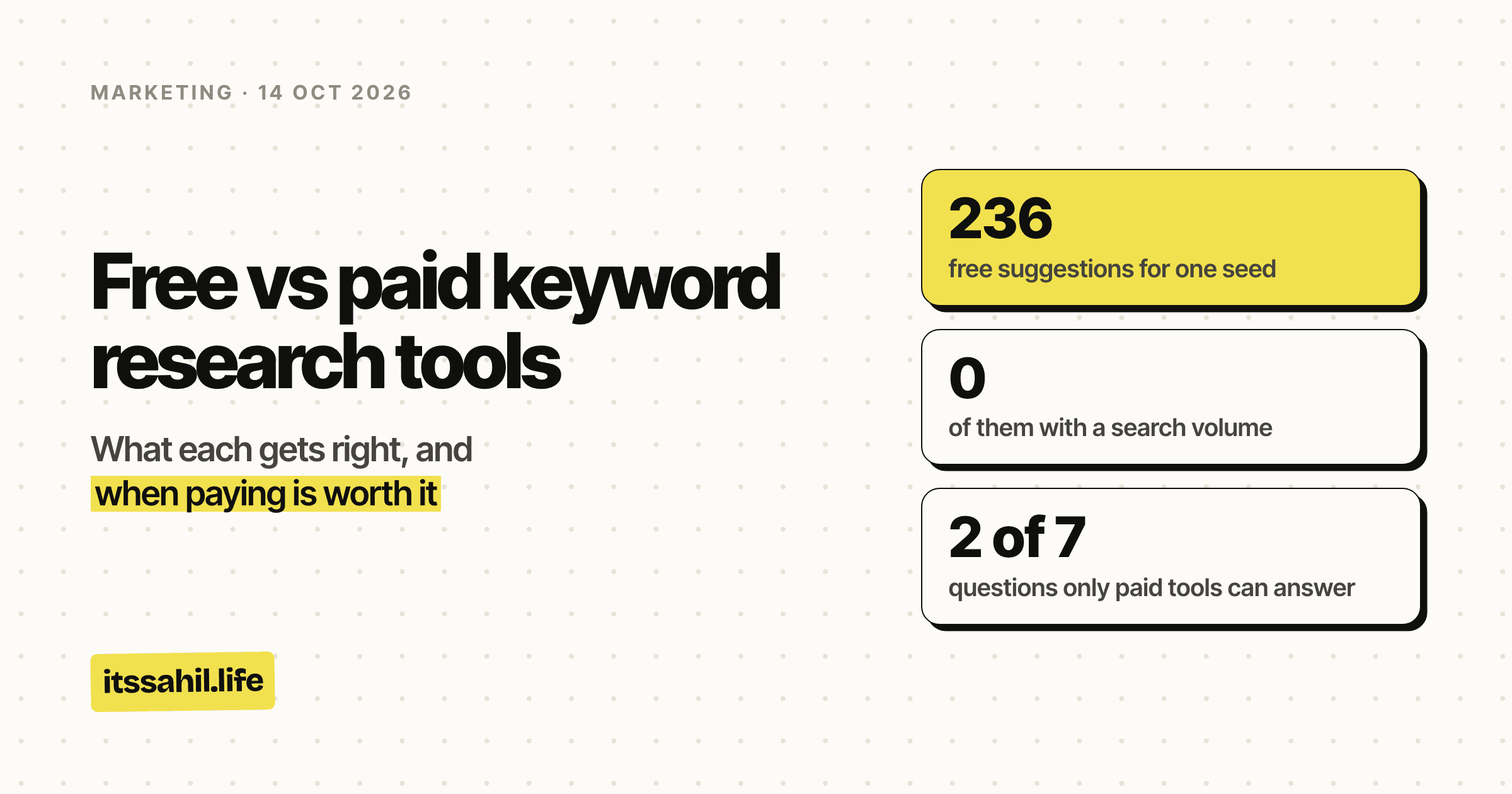
- free suggestions for one seed
- 236
- of them with a search volume
- 0
- questions only paid tools can answer
- 2 of 7
- a year, the cheapest paid way in
- $84
- a month, Ahrefs Lite
- $129
The short version
- Free tools are mostly Google's own: Search Console, Keyword Planner, autocomplete, People also ask, Trends. The data is real, but each shows only part of the picture.
- Paid tools put a number on everything: search volume, difficulty, who ranks, who links. The numbers are each vendor's estimates.
- Only paid tools can show a competitor's keywords or the links behind the pages that rank. Those are the two jobs free tools can't do at all.
- Free is enough for a new blog's first stretch, and Search Console beats every paid tool for a site that already has traffic.
- Pay when you need competitor or link data, or when keyword research has become a weekly job. The cheapest way in was $84 a year when I checked.
Free keyword tools: pros and cons
Pros
- The data is Google's. Search Console reports the searches your site actually appeared for, with real impressions, clicks and positions. A paid tool can only estimate your rankings from its own crawl.
- It's how people really type it. Autocomplete and People also ask come from real searches, where you are. In the test below they turned up searches in Hinglish and about Indian marketplaces.
- It shows direction. Google Trends shows whether interest is rising, falling or seasonal. It's a relative index from 0 to 100, not a volume, but for "is this topic growing?" that's the right answer.
- It costs nothing. A new blog can spend its first months writing instead of paying for data it has no use for yet.
Cons
- No competitor data. No free tool shows which keywords another site ranks for.
- No link data, except your own. Search Console lists links to your site, not to the pages you're trying to beat.
- Volume in wide bands. Keyword Planner shows ranges like 1K to 10K unless the account spends enough on ads. A tenfold range tells a niche from a popular topic, but can't choose between two similar keywords.
- Search Console only covers what you already show up for. A new site has nothing in it, nor does a topic you haven't written about. Google also leaves rare queries out of the query table, so the rows never add up to the totals.
- It's slow at scale. One search at a time, and a few hundred phrasings to sort by hand.
Paid keyword tools: pros and cons
Pros
- A competitor's keywords. Put in any site and see what it ranks for, and roughly how much traffic each page gets. This alone can justify a paid tool.
- Backlink data. Who links to the pages that rank, how many sites, and how strong. If you build links, there's no free substitute.
- A number on everything. Volume, difficulty, cost per click and trend on thousands of keywords, sortable and exportable. Even estimated, that's how 2,000 candidates become the 50 worth writing.
- Speed. An afternoon of free research takes ten minutes. If you do it weekly, that's the subscription paid for.
Cons
- The volumes are models. Google doesn't publish search volume, so each tool estimates it, and the same keyword can show quite different figures in different tools. Compare keywords inside one tool, never across tools.
- Difficulty is each vendor's formula. It's built mostly from the links of the pages that rank now. Like Domain Authority and Domain Rating, it's useful for comparing, and it isn't Google's.
- They cost real money every month. Ahrefs Lite was $129 a month and Semrush's SEO plan $139 on 10 October 2026, before extra seats: well over $1,500 a year, which only makes sense if the data changes what you do.
- They make research feel like progress. It's easy to spend a week sorting keywords instead of writing.
The seven questions, and which side answers them
Keyword research comes down to a handful of questions. Free tools answer more of them than you'd think, and two of them only paid tools can answer.
| The question | Free | Paid | Better |
|---|---|---|---|
| How do people actually phrase it? | Autocomplete, People also ask, AlsoAsked | Large keyword lists | Free, it's Google's own |
| How many people search it? | Keyword Planner, in bands | One number, modelled | Paid, if you remember it's an estimate |
| Which searches am I nearly ranking for? | Search Console, positions 8 to 20 | Estimated from the tool's crawl | Free, it's real |
| Is interest rising or falling? | Google Trends | Year-on-year estimates | Free |
| How hard is it to rank? | Look at who ranks, by hand | A difficulty score | Paid saves time; neither is Google's |
| What does a competitor rank for? | Nothing | Full list per site | Paid only |
| Who links to the pages that rank? | Only your own links | Backlink indexes | Paid only |
Free wins three, paid wins four, and two of paid's four are things free can't do at all. That's the whole decision: if you don't need those two, you don't need to pay yet.
What the free method actually gives you
To see what free looks like in practice, I ran the oldest free method there is. I typed "keyword research" into Google's autocomplete, then added each letter of the alphabet after it, from India, in English: 27 searches on 14 October 2026.
It returned 236 different phrasings. Not one came with a number.
What it found:
- The long tail, in people's own words. 114 of the 236 were three words long and 87 were four, like "keyword research free tool" and "keyword research for beginners".
- Local phrasing. Five were in Hinglish, such as "keyword research kaise kare". That's real demand, phrased the way people near me phrase it.
- What people compare. 20 named a tool or brand, and 16 asked for something free.
What it didn't:
- Any numbers. Not one of the 236 came with a search volume, so there was no way to tell which ones matter.
- A clean list. A seventh were about keyword research for YouTube, Amazon, Etsy or Meesho, which is a different job, and four meant research in the academic sense. Every one had to be read and sorted by hand.
- The questions. Only three were phrased as questions, so autocomplete alone misses most of what people ask. That's what People also ask and AlsoAsked are for.
That's free in one picture: real, local and plenty of it, with no idea which ones matter. A paid tool would have put a number on each and sorted them in a second, and the numbers would have been estimates. One seed, one day and one location is a small test, and autocomplete varies by person and place, so treat it as an example of the shape, not a measurement.
When paying is worth it
Pay when one of these is true:
- You need a competitor's keywords or their links. No free tool does it.
- Keyword research has become a weekly job. For your own site, or for clients. The time saved is the subscription.
- You're choosing between topics often enough that one wrong pick costs more than a month of the tool. A post that took a week to write and targets the wrong search is the expensive mistake. The subscription is the cheap one.
- You need numbers to show someone else. A client or a manager will want a figure next to each keyword, even an estimated one.
Stay free when:
- The site is new, and the next twenty or thirty posts matter more than perfect topic choice.
- The site already gets traffic. Start in Search Console with the searches at positions 8 to 20. Google already sees you as relevant there.
- You're not building links, and don't plan to study competitors closely.
Two middle ways that work:
- One month at a time. Pay for a full tool during a planning sprint, export what you need, and cancel until the next one.
- The cheapest add-on. Keywords Everywhere, at $84 a year, puts volumes beside the searches you're already doing.
A sensible setup at each stage
| Stage | Free | Add, if anything | Rough cost |
|---|---|---|---|
| New blog, no traffic | Keyword Planner, autocomplete, Trends, AlsoAsked | Nothing yet | $0 |
| Some traffic | Search Console first, plus the above | Keywords Everywhere | $84 a year |
| Writing every week | Search Console | Mangools, or a month of Ahrefs or Semrush when planning | About $29 a month, or one month at a time |
| Building links, studying competitors | Search Console | Ahrefs | From $129 a month |
| Organic and paid together | Search Console, Keyword Planner | Semrush | From $139 a month |
Prices are the vendors' own, checked on 10 October 2026; Mangools' is second-hand. The full breakdown is in tools to find keywords.
The short answer
- Free tools give you Google's own data, with gaps in it.
- Paid tools fill the gaps with estimates, and add the two things free can't do: competitor keywords and link data.
- If you don't need those two, stay free longer than feels comfortable, and live in Search Console once you have traffic.
- When you do, or when keyword research becomes a weekly job, pay for the tool.
Either way, treat a paid tool's numbers as a way to compare keywords, not as facts about Google.