Marketing · 13 Oct 2026 · 14 min
robots.txt: what it blocks, and why it can't remove a page from Google
A robots.txt file asks crawlers not to fetch parts of a site. It does not keep pages out of Google, and on this site I had to delete a line from it to do exactly that. What the file controls, what Google ignores in it, and what I found in 221 real ones.
On 13 October I deleted a line from this site's robots.txt. The line was
Disallow: /admin, and I deleted it to keep the admin out of Google.
That sounds backwards, and it is the most useful thing to know about the file. A robots.txt file is a plain text file at the root of a site that asks crawlers not to fetch certain addresses. It controls crawling. It does not control what Google lists. A page Google is not allowed to fetch is a page whose noindex rule Google can never read, so blocking it can leave its address free to turn up in results anyway.
So the admin is now open to crawlers, answers every request with a password prompt and a noindex header, and stays out of Google because Google can see both.
The normal case, for every page you want people to find.
How to keep a page out of Google. It has to be let in for the noindex to be read.
If other pages link to it, Google can show the address without reading the page.
The two cancel out. This is the common mistake, and the page can still turn up.
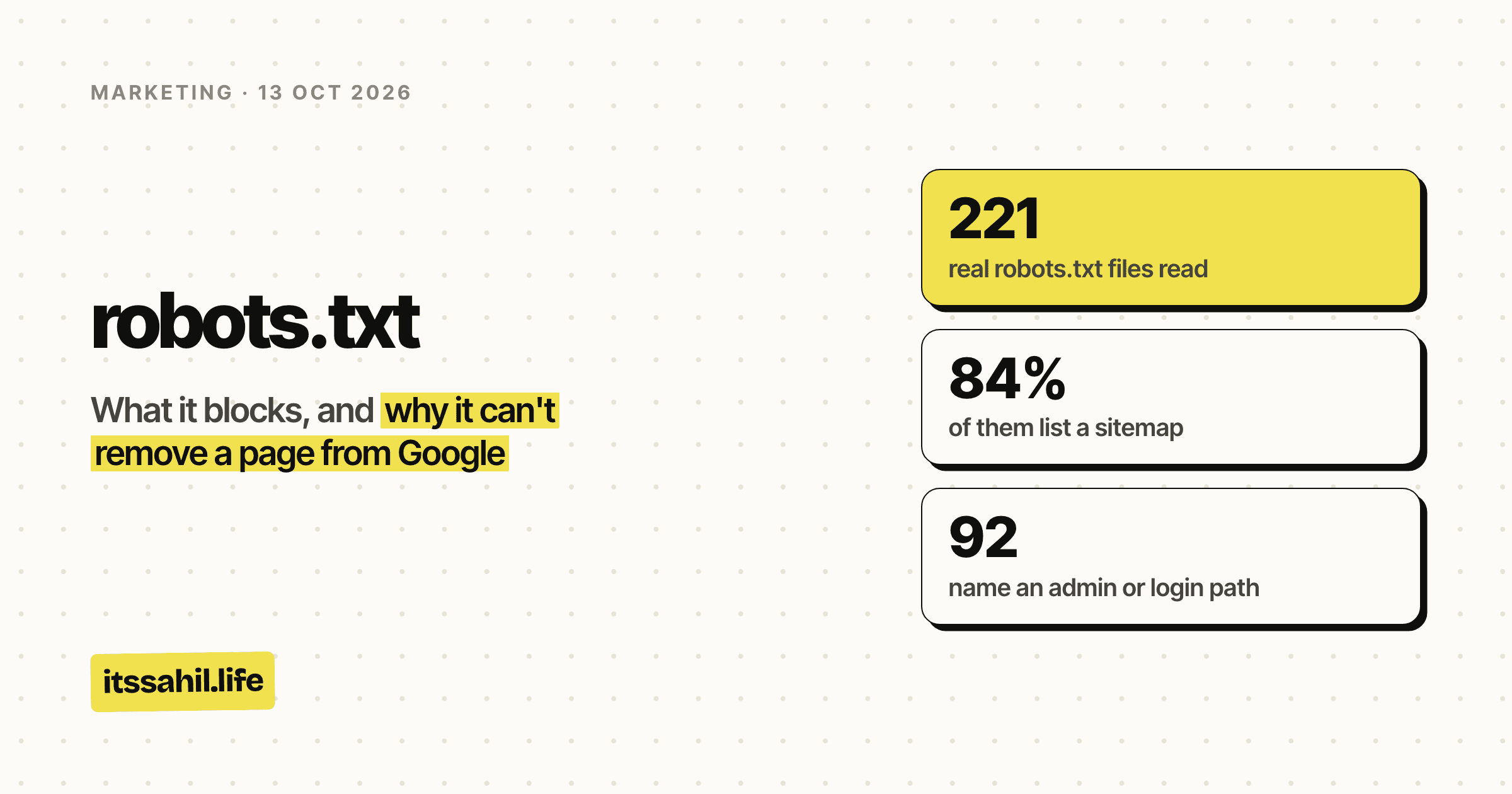
- real robots.txt files read
- 221
- of them list a sitemap
- 84%
- name an admin or login path
- 92
- use Crawl-delay, which Google ignores
- 19
- the most Google reads of one
- 500 KiB
- how long Google usually caches it
- 24 hours
The short version
- What it is: a text file at
yourdomain.com/robots.txtthat tells crawlers which paths they may fetch, one group of rules per crawler. - What it controls: crawling. Google's own documentation says it is mainly for managing crawler traffic to a site, and is not a way to keep a page out of Google.
- What it does not control: indexing. A blocked page can still be listed, with no description, if other pages link to it.
- To keep a page out of Google: let it be crawled and give it
noindex, or put it behind a password. - What Google reads:
User-agent,Allow,DisallowandSitemap. Everything else, includingCrawl-delayandNoindex, is ignored. - It is public. Anyone can open the file, so it is never the place to hide anything.
What the file looks like
A robots.txt file is a list of groups. Each group starts with one or more
User-agent lines naming the crawlers it is for, then the rules for them.
Disallow names a path they should not fetch. Allow makes an exception
inside it. A Sitemap line can go anywhere and applies to everyone.
This site's whole file is four lines:
User-Agent: *
Allow: /
Disallow: /api/

Sitemap: https://itssahil.life/sitemap.xml
Every crawler may fetch everything except the /api/ addresses, which are the
site's own plumbing and have nothing to read. The sitemap tells crawlers where
the list of real pages is.
A few rules decide where the file has to live:
- It goes at the top level of the host. Crawlers do not look for it in
folders, so
example.com/blog/robots.txtdoes nothing. - It covers one host, one protocol and one port.
shop.example.comneeds its own file, separate fromexample.com. When I moved this site's admin to admin.itssahil.life, that address needed its own robots.txt, and it has one. - One file per host, in UTF-8. Google reads the first 500 KiB and ignores anything after that.
- Google keeps a copy for up to 24 hours, so a change can take a day to apply. It can keep the old copy longer if it cannot fetch the new one.
What Google reads, and what it ignores
Google's specification for robots.txt was moved, with the rest of its crawling documentation, to developers.google.com/crawling in November 2025, and last updated on 31 August 2026. It supports four fields. Any field not on that list is ignored, which Google spelled out in a change on 7 October 2024.
Here is a file with three of the ignored lines in it, and how many of the real files I checked contain each one:
example.com/robots.txtwhat Google does with each line
User-agent: *ReadStarts a group of rules for every crawler. 204 of the 221 files have one.Disallow: /cart/ReadAsks crawlers not to fetch anything under /cart/. It does not hide it: anyone can open this file.Allow: /cart/helpReadAn exception. The rule with the longer path wins, so this one page can still be fetched.Crawl-delay: 10IgnoredGoogle does not support it. Bing and Anthropic say they read it. 19 files use it.Noindex: /old/IgnoredGoogle stopped reading it on 1 September 2019. None of the 221 files use it.Host: example.comIgnoredNot part of the standard, and not a field Google reads. 30 files still have it.Sitemap: https://example.com/sitemap.xmlReadPoints crawlers to the sitemap, and applies to every group. 186 files have one.
The ignored lines are not errors. Google skips them and reads the rest. They
just do nothing for Google, and the one that does the most damage when people
rely on it is Noindex, because it looks like it works.
Four rules about how Google matches the rest catch people out:
| Rule | What it means in practice |
|---|---|
| Longest path wins | Allow: /cart/help beats Disallow: /cart/ for that page, because its path is longer |
| A tie goes to the least restrictive rule | If an Allow and a Disallow match equally, the page can be fetched |
| Paths are case-sensitive | Disallow: /Fish does not block /fish.html |
| A crawler obeys one group only | If there is a group for Googlebot, Googlebot ignores the * group completely |
The last one is the easy mistake. Add a User-agent: Googlebot group to change
one thing for Google, and Googlebot stops reading every rule in the * group.
Whatever you want Googlebot to follow has to be repeated in its own group.
Two wildcards are allowed in paths: * matches any run of characters, and $
marks the end of the address. So Disallow: /*.pdf$ blocks every address that
ends in .pdf.
Why robots.txt can't remove a page from Google
Google's introduction to robots.txt says it plainly: the file is "not a mechanism for keeping a web page out of Google". A blocked page can still be indexed if other sites link to it. Google never fetches it, so the result shows the address with no description.
Search Console has a name for this. In the Page indexing report, it is Indexed, though blocked by robots.txt, and Google's help page for that status gives the fix: remove the block and use noindex instead.
This is what happened with this site's admin. It was behind a password and carried a noindex tag, and robots.txt told crawlers not to fetch it. The noindex tag was inside the page, behind the password, where no crawler could reach it. The robots.txt line meant Google could not even get as far as the password prompt. If anything ever linked to the admin, Google had everything it needed to list the address and nothing telling it not to.
The fix was two changes on 13 October 2026. The server now sends an
X-Robots-Tag: noindex header with every admin response, including the
password prompt. And the Disallow: /admin line came out of robots.txt, so
Google is allowed to fetch the admin and see that header.
If you want a page out of Google, these are the ways that work:
| Method | When to use it |
|---|---|
noindex, in a meta tag or an X-Robots-Tag header |
The page should exist for people but not appear in search |
| A password | Anything private. Google's own advice for confidential pages |
| Delete it, so it returns 404 or 410 | The page should not exist at all |
| Search Console's Removals tool | An emergency. It hides the page for about six months while you do one of the above |
All of them need Google to be allowed to fetch the page, except the Removals tool. If the page is blocked in robots.txt, unblock it first.
What 221 real robots.txt files contain
For the backlinks piece I catalogued 249 sites that give out free links: directories, launch sites and a lot of AI tool lists. Today I fetched the robots.txt file from every one of them. The sample is small and leans heavily towards directories that want to be found, so it is not the web at large. It is a fair picture of the kind of site most people start with, though.
221 of the 249 served a robots.txt I could read. Eleven had none and returned a 404, which Google treats as no restrictions at all. Three returned a web page where the file should be, which Google tries to read as rules and mostly ignores. Fourteen blocked my script or timed out.
The good news first. 84% list a sitemap, nobody uses Noindex any more, none
of the 221 blocks every crawler from the whole site, and the biggest file was
about 16 KB, nowhere near Google's 500 KiB limit. The median was 182 bytes.
Most robots.txt files are a few lines long, and that is how it should be.
The 92 is the number worth pausing on. Those files name an admin panel, a login
page, an account area, a dashboard or a settings path, in a file anyone can
open. Usually that is harmless: /wp-admin/ tells the world the site runs on
WordPress, which it could tell anyway. But RFC 9309, the standard that defines
robots.txt, says it directly: its rules are not a form of access
authorisation, and listing a path in the file exposes it publicly. If a path
would be a problem in the wrong hands, it needs a password, and robots.txt is
the last place to mention it.
The 47 files with a Host or Crawl-delay line are carrying instructions
Google does not read. Neither is harmful, but a file full of rules that do
nothing is a file nobody has looked at in a while.
AI crawlers in robots.txt
Most new robots.txt advice is about AI crawlers. The tokens are just user agent names, and each company documents what its own covers:
| Token | Company | What blocking it does |
|---|---|---|
| GPTBot | OpenAI | Your content should not be used in training. Search crawling is a separate token, OAI-SearchBot |
| ClaudeBot | Anthropic | Your future content is left out of training. Claude-SearchBot and Claude-User are separate |
| Google-Extended | Your content is not used for Gemini training or grounding. It does not affect Google Search, AI Overviews included | |
| Applebot-Extended | Apple | Your content is not used to train Apple's models. The site stays in Apple's search |
| CCBot | Common Crawl | The site stays out of Common Crawl's public archive of the web, which has been used to train many AI models |
| PerplexityBot | Perplexity | The site stays out of Perplexity's search. Perplexity says this crawler is not used to train AI models |
Two things in that table matter more than the rest. Google-Extended is not an AI Overviews switch: Google says AI is part of how Search works, and the only controls for AI Overviews are the ones for Search itself, like noindex and nosnippet. And the fetchers that act when a person asks an assistant to read a page, such as ChatGPT-User and Perplexity-User, say robots.txt rules may not apply to them.
In the 221 files, 42 name at least one AI crawler. Only 15 of those block one
outright. The other 27 name them to let them in, often with a line like
User-agent: GPTBot followed by Allow: /. That fits a list of AI directories,
which would like to show up when someone asks ChatGPT for a tool. GPTBot is
named in 38 files and blocked in 5.
The most blocked crawler is ByteDance's Bytespider, not anything from OpenAI or Google.
Seven files also carry a Content-Signal line, such as Content-Signal: search=yes, ai-train=no. It comes from a policy Cloudflare launched on 24
September 2025, and it states how a site would like its content used.
Cloudflare itself says the signals are not a technical barrier and that some
companies may ignore them, and Google's own open-source robots.txt parser
lists the field as unsupported. Three files went further and made up eight
fields between them for language models, such as llm-policy. Google ignores
those too, and says the same of llms.txt: Google Search does not use it.
How to write one for a small site
For most small sites the file should be short. Something like this:
User-agent: *
Disallow: /search
Disallow: /api/

Sitemap: https://example.com/sitemap.xml
Block the things with nothing to read and endless variations, like internal
search results, carts and an API. Leave everything else open, including CSS
and JavaScript, which Google needs to see a page the way a visitor does. Add
the full address of your sitemap, starting with https://, because Google only
accepts an absolute address there.
On WordPress, an SEO plugin such as Yoast or Rank Math lets you edit the file
from the dashboard. On Next.js, which this site uses, the file is generated
from app/robots.ts:
export default function robots() {
  return {
    rules: [{ userAgent: "*", allow: "/", disallow: ["/api/"] }],
    sitemap: "https://itssahil.life/sitemap.xml",
  };
}
Then check it. Open the address in a browser and make sure it is plain text, not your 404 page. In Search Console, the robots.txt report shows the copy Google last fetched, any lines it could not parse, and has a button to ask for a recrawl after you change it.
Mistakes worth checking for
- Blocking a page you want out of Google. It needs noindex, and Google has to be allowed to fetch it to see that.
Disallow: /left over from a staging site. One line, and nothing gets crawled. Check the live file after every launch.- A Googlebot group that drops your other rules. Googlebot reads only its
own group, so anything in
*has to be repeated there. - Blocking CSS, JavaScript or images. Google renders pages, and a page it cannot render properly is a page it understands less well.
- A file that errors. A 5xx makes Google stop crawling the site for the first 12 hours while it retries, then work from its last copy. A 429 counts as a server error too.
- A relative sitemap address.
Sitemap: /sitemap.xmlis not valid. One of the 221 files had this. - Secrets in the file. If a path is sensitive, listing it in a public file is the opposite of hiding it.
- Expecting AI tokens to work for everything. Each token covers what its company says it covers, and fetchers acting for a user may not check at all.
The short answer for a site owner
Keep robots.txt short. Use it to keep crawlers out of things with nothing worth reading, like search results, carts and an API, and to point to your sitemap. Do not use it to hide anything, because it is public, and do not use it to keep pages out of Google, because it cannot.
For that, let Google in and tell it no. A noindex rule on a page Google can fetch does what a Disallow line on a page it cannot fetch only looks like it does. It took deleting a line from my own file to make that point properly.